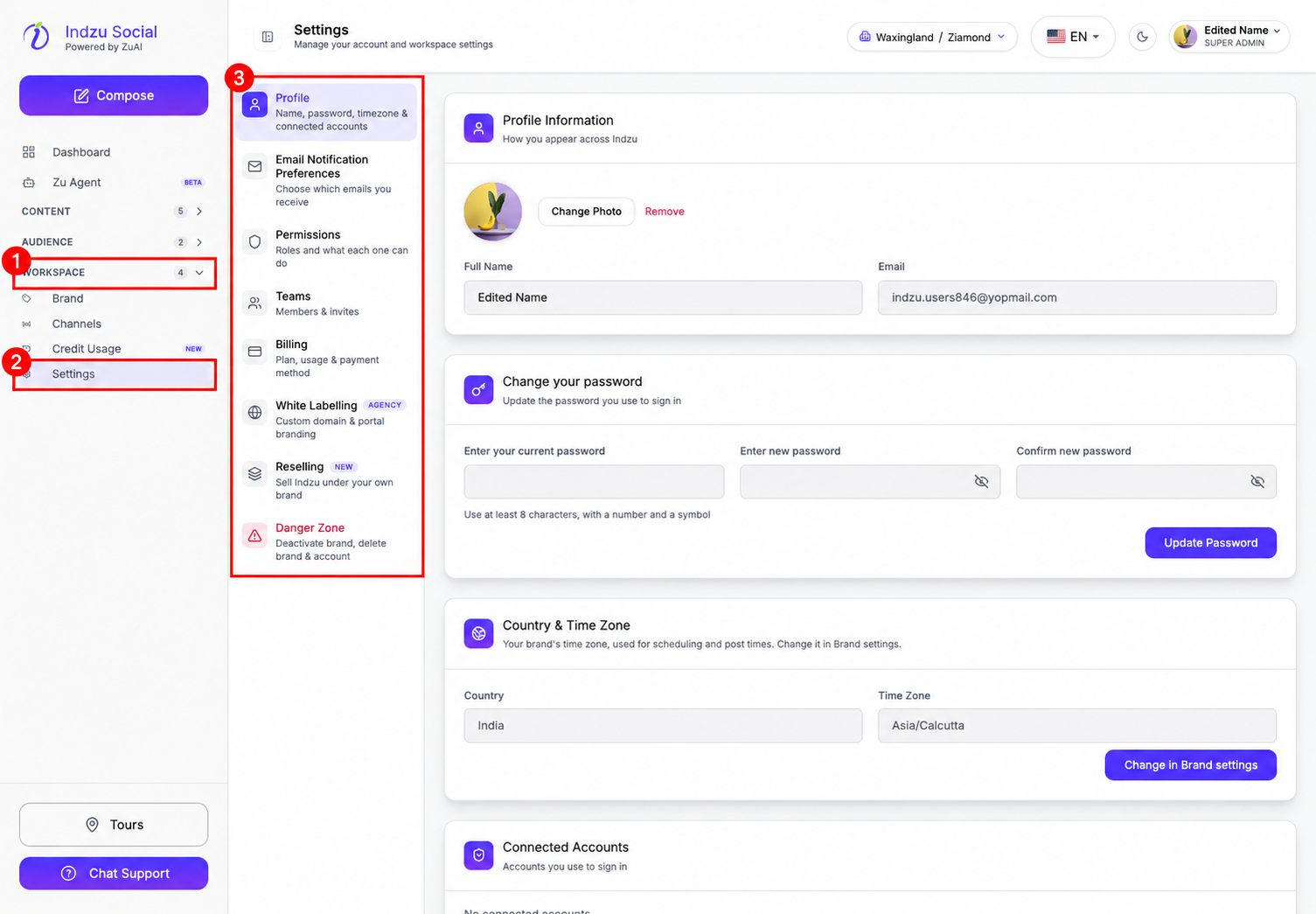
Settings brings your account and workspace controls together in one place.
How to open Settings
- Expand Workspace in the left sidebar.
- Select Settings.
- Choose a section from the Settings menu. Its options open on the right.
Settings sections
Profile
Update your name and profile photo, manage your password, and review your connected sign-in accounts. Your email address is displayed here.
The Country & Time Zone card shows your current brand’s country and time zone. These fields are read-only in Profile. Use Change in Brand settings, when available, to open the brand settings where you can change them.
Email Notification Preferences
Choose which account alerts, usage reports, onboarding tips, and product updates you receive. Select Save preferences after making changes. Transactional emails, such as password resets and OTPs, are always sent.
Permissions
Review roles and the features each role can access.
Teams
View your team members and manage invitations through the Team Management section.
Billing
View your current subscription, plan features and limits, and payment methods. This section also includes options to download an invoice, change your plan, or cancel your subscription.
White Labelling
Set up a custom domain and portal branding. The setup guides you through domain ownership verification and domain configuration.
Reselling
Access the setup for selling Indzu under your own brand, including a reseller license, white-label domain, Stripe connection, and pricing.
Danger Zone
Access brand deactivation, brand deletion, and account deletion. Deactivate Brand is reversible. Delete Brand and Delete Account are described as permanent actions; read the warnings carefully before proceeding.
Screenshot