Use this guide to find account controls in the updated Indzu Social interface and open the detailed instructions for each task.
Open Settings
- Expand Workspace in the left sidebar.
- Select Settings.
- Choose a section from the Settings menu. Its controls open on the right.
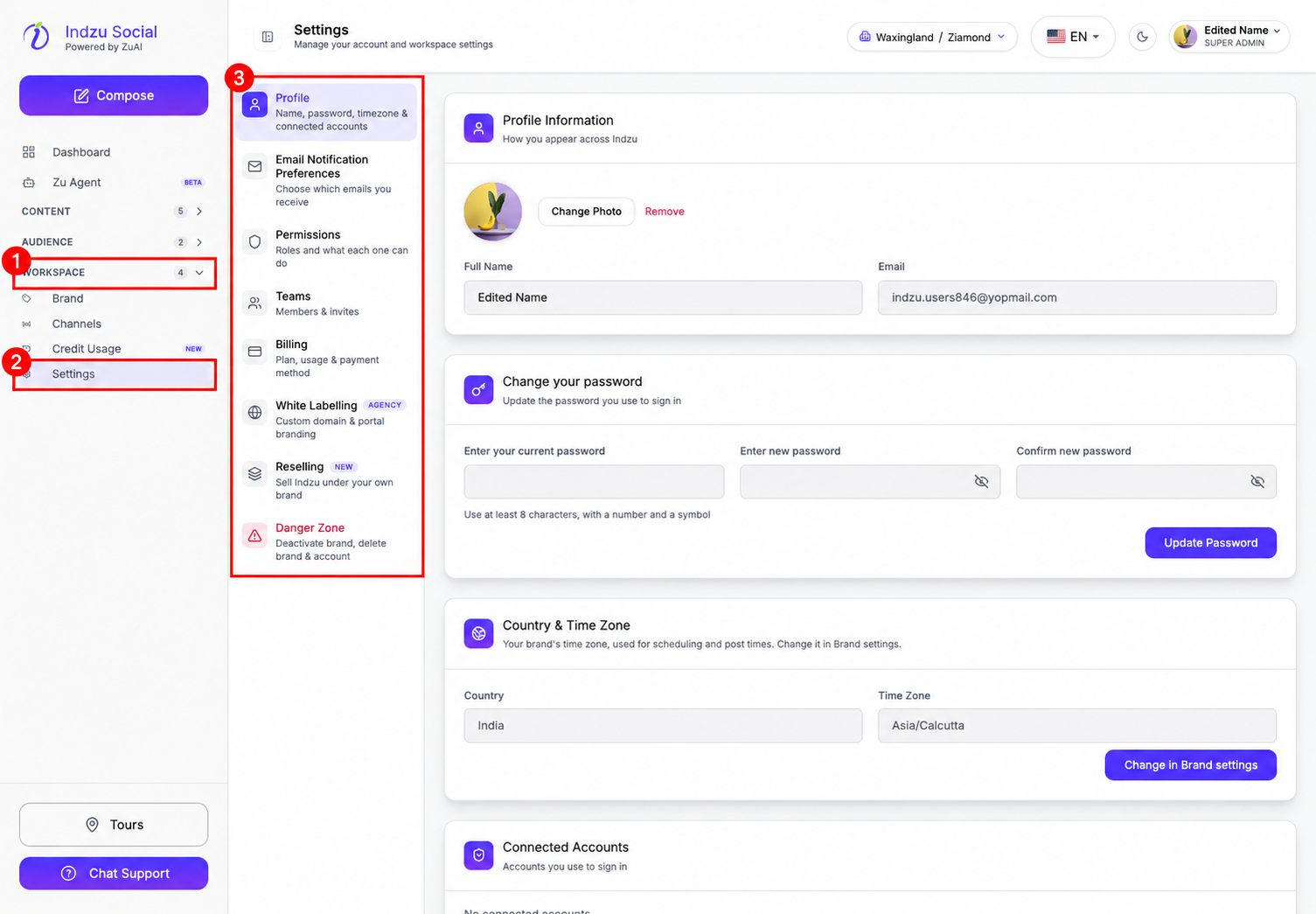
For a description of all eight sections, see What can I manage in Settings?.
Manage your profile and password
Open Settings → Profile to update your name or profile photo, manage your password, and review connected sign-in accounts. Your email address is displayed here.
To update a password you know, follow How do I change my password in Indzu?.
If you cannot sign in because you have forgotten your password, follow How do I reset a forgotten password?.
Change the brand’s country or time zone
The Country & Time Zone card in Profile displays the current brand’s location and time zone. These fields are read-only in Profile.
- Open Workspace → Settings → Profile.
- Find Country & Time Zone and select Change in Brand settings, when available.
- In the brand’s Settings tab, find Location & Timezone.
- Choose the country and time zone, then select Save Changes.
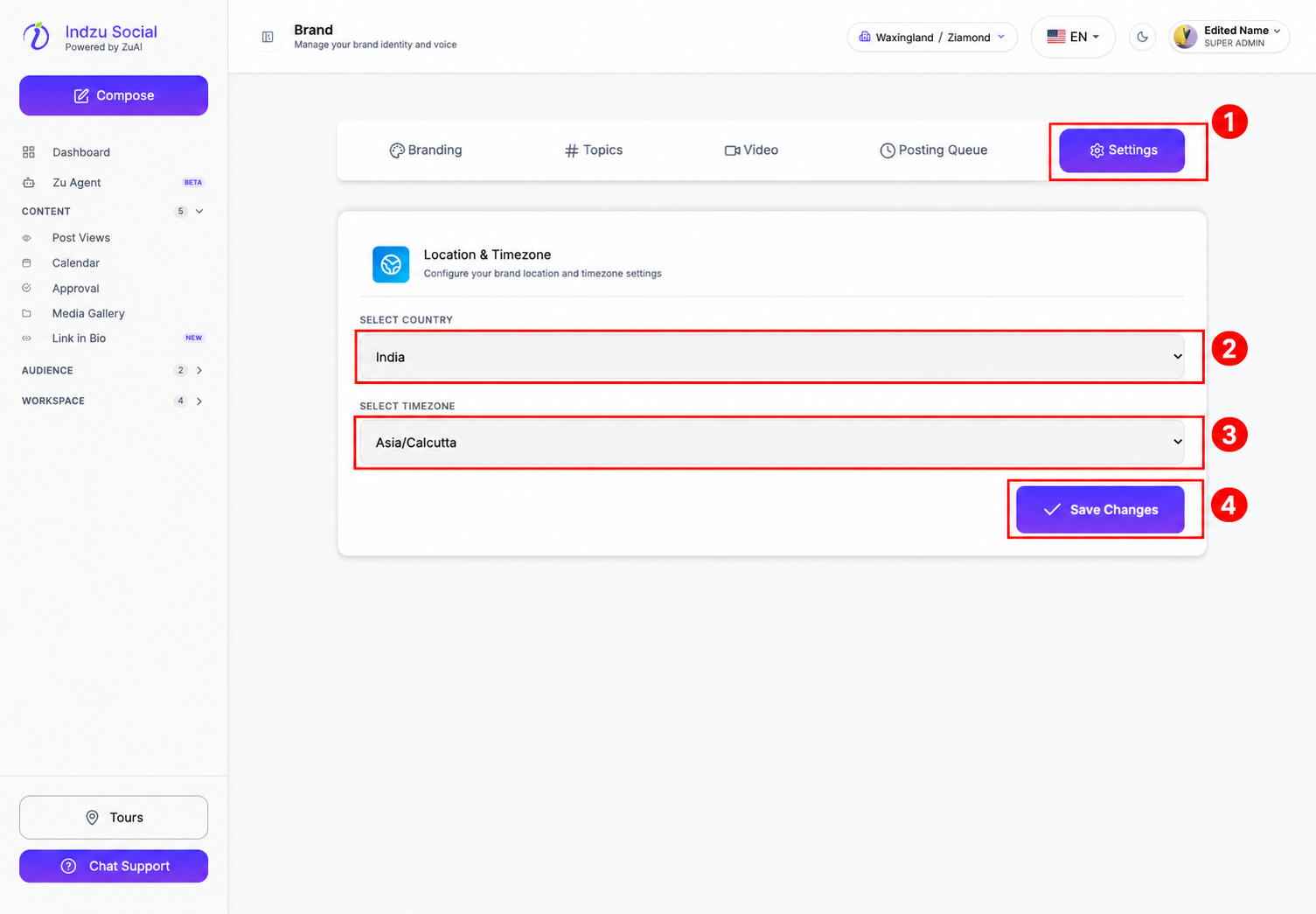
The brand’s time zone is used for scheduling and post times. Check that you are editing the intended brand before saving. If the shortcut is unavailable, ask your account administrator to check your brand-editing access.
Manage preferences, team access, and billing
Use Email Notification Preferences to choose the account alerts, usage reports, tips, and product updates you receive. Select Save preferences after making changes.
Use Permissions to review roles and feature access, and Teams to view members and manage invitations.
Open Billing to view your subscription, plan limits, invoices, and payment methods. White Labelling and Reselling contain the custom-branding and reseller setup flows.
Understand account and brand deletion
Open Settings → Danger Zone for brand deactivation, brand deletion, and account deletion. Review the scope of each action before proceeding.
Read What does Delete Account Permanently mean? for the differences, or follow How do I permanently delete my account? for the procedure.
Sign out
Open the profile menu in the top-right corner and select Logout. See How do I log out of Indzu? for the marked screenshot.