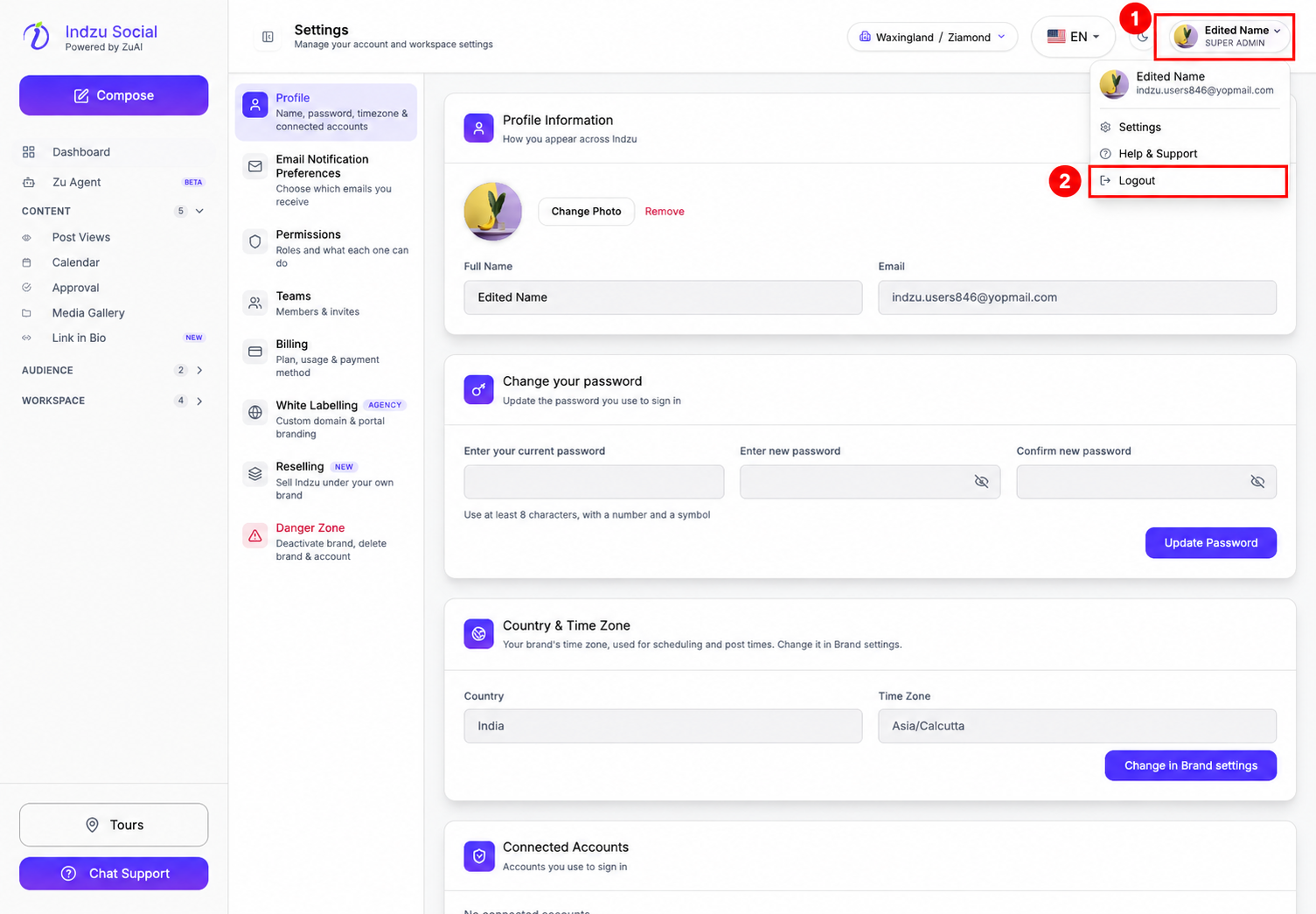
Use the profile menu in the top-right corner of Indzu Social to sign out.
Log out
- Select your profile photo or account name in the top-right corner.
- Select Logout from the menu.
Your account and brand data remain available when you sign in again.
Sign in again
Open the Indzu sign-in page and use your usual sign-in method. If you have forgotten your password, see How do I reset a forgotten password?.