You can edit supported generated content before publishing. The credit cost depends on whether you are changing text manually or asking AI to generate or edit something.
Manual edits versus AI edits
Typing changes to your caption yourself is different from using an AI rewrite or generation control. Opening the composer or revising text manually does not itself request a new AI generation.
The current standard costs are 20 credits for AI text/caption generation and 75 credits for an AI image edit. Generating a replacement image is a new image-generation action, not the same as editing an existing image with AI.
Standard replacement-image generation uses 100 credits per image; a separately generated AI caption can add 20 credits. Review the estimate for the selected workflow before requesting the replacement. See AI image post costs.
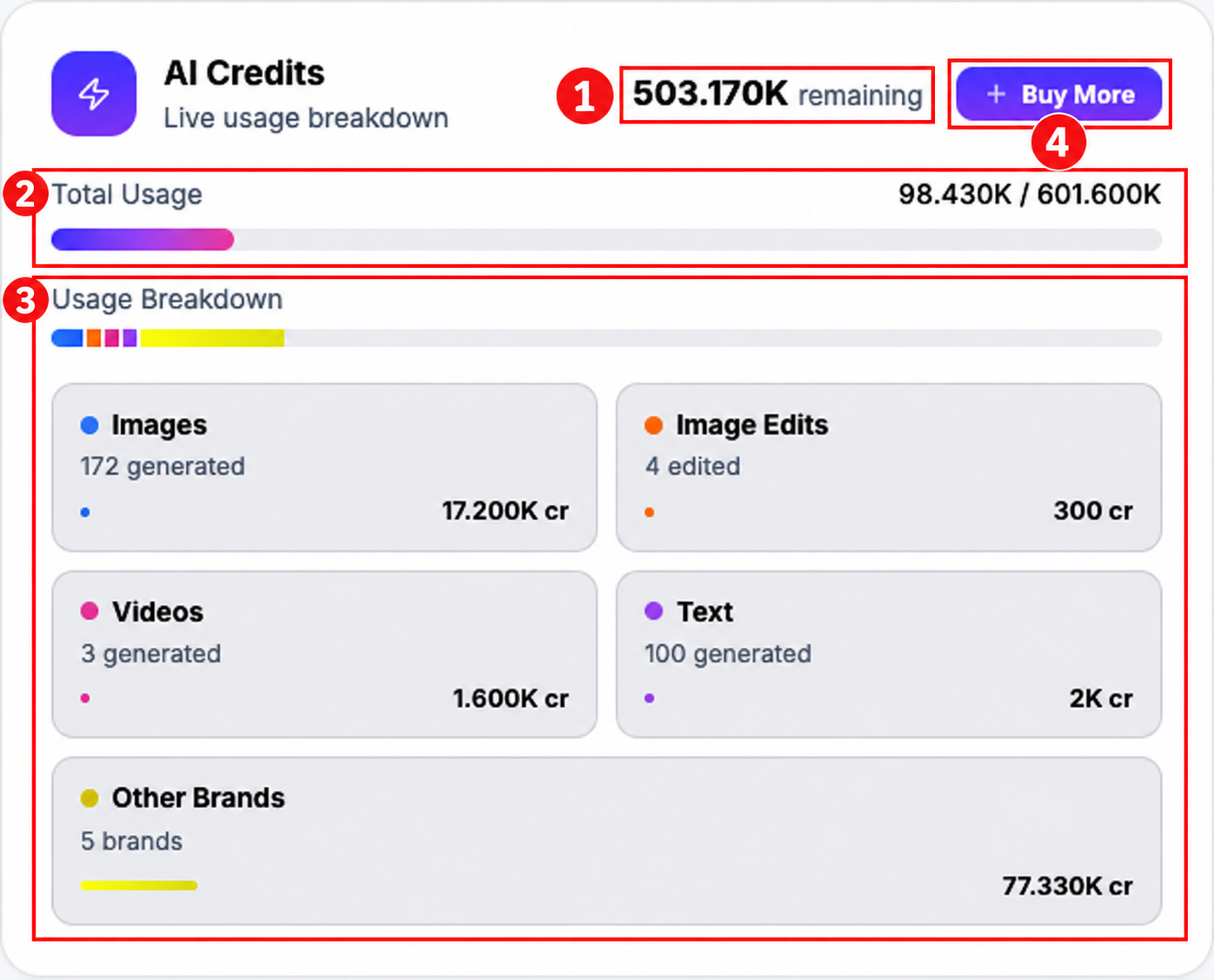
In this populated example, 100 text generations account for 2,000 credits, and four image edits account for 300 credits. These are account examples, not a quota or a charge for each manual keystroke.
Edit and review the result
- Open Content → Post Views → AI Posts and find the generated post.
- Open the post’s available editing or composer controls.
- Make manual caption changes, or use an available AI action after checking its displayed cost.
- Review the result, selected channels and post preview before saving, scheduling or publishing.
Available controls differ by content type. Do not assume every generated video can be edited inside Indzu, or that regenerating a video is free. Follow the controls and current estimate shown for that specific workflow.
Check what was charged
Open Workspace → Credit Usage and find the corresponding action by date and amount. For an AI image edit, look for the image-edit deduction rather than an ordinary image-generation entry.
See Why were credits deducted? and Create a new post in Compose.