AI credits are used for credit-consuming AI actions, such as generating captions, images or videos and editing images with AI. A new AI generation or rewrite can consume credits even when you do not publish the result.
Credits are shared across your organization. Generating content for another brand can therefore affect the same remaining balance; creating a brand is not itself the same as generating AI content.
Find the action behind a deduction
- Expand Workspace in the left sidebar.
- Click Credit Usage.
- Check the selected brand and choose a period containing the action, such as Last 90 days.
- Use the All actions filter to narrow the event list.
- Review the event’s Date, Action, Type and Credits.
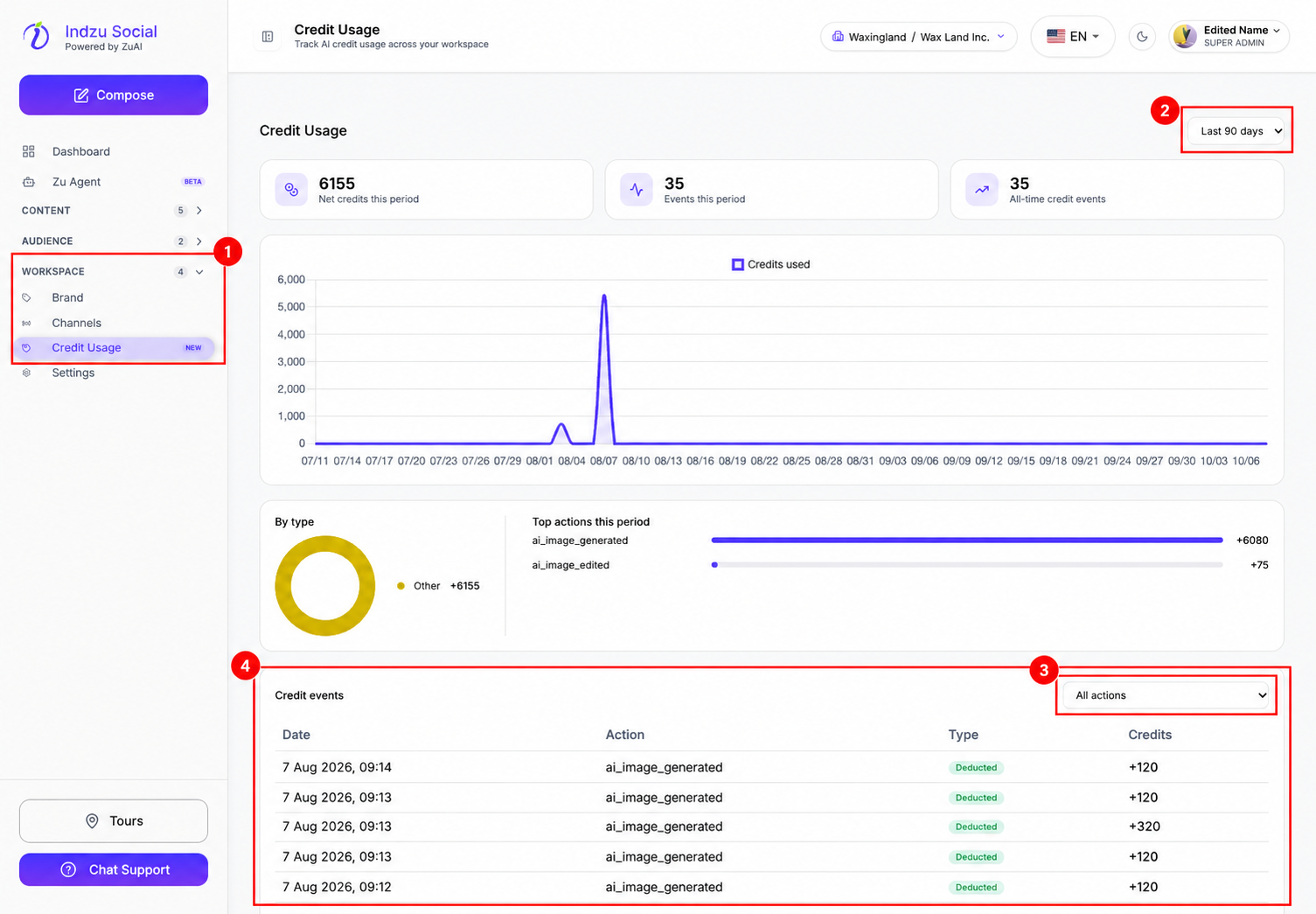
Read the Type as well as the credit amount. A row marked Deducted represents usage; do not interpret its plus sign alone as a top-up. Refund events, when present, are labelled separately. Older events may use technical names such as ai_image_generated or ai_image_edited.
If the action is outside the selected period, widen the period before concluding that no event was recorded. The Dashboard activity date range and the Credit Usage reporting period are separate controls.
Compare with your balance
Open Dashboard and scroll to AI Credits. The breakdown separates Images, Image Edits, Videos, Text and Other Brands. A period’s event total is not the same as the organization’s remaining balance or total allowance.
If a deduction still looks incorrect, contact support with the brand, action, date/time and amount. Do not send your password or payment-card details. An incomplete result does not by itself prove whether a refund has been recorded; check for the relevant event.
See Check your balance and usage and AI generation troubleshooting.