The Dashboard’s Create Post shortcut opens AI Studio, where you choose an AI creation route. To write a post yourself instead, use Compose in the left sidebar.
Open AI Studio from the Dashboard
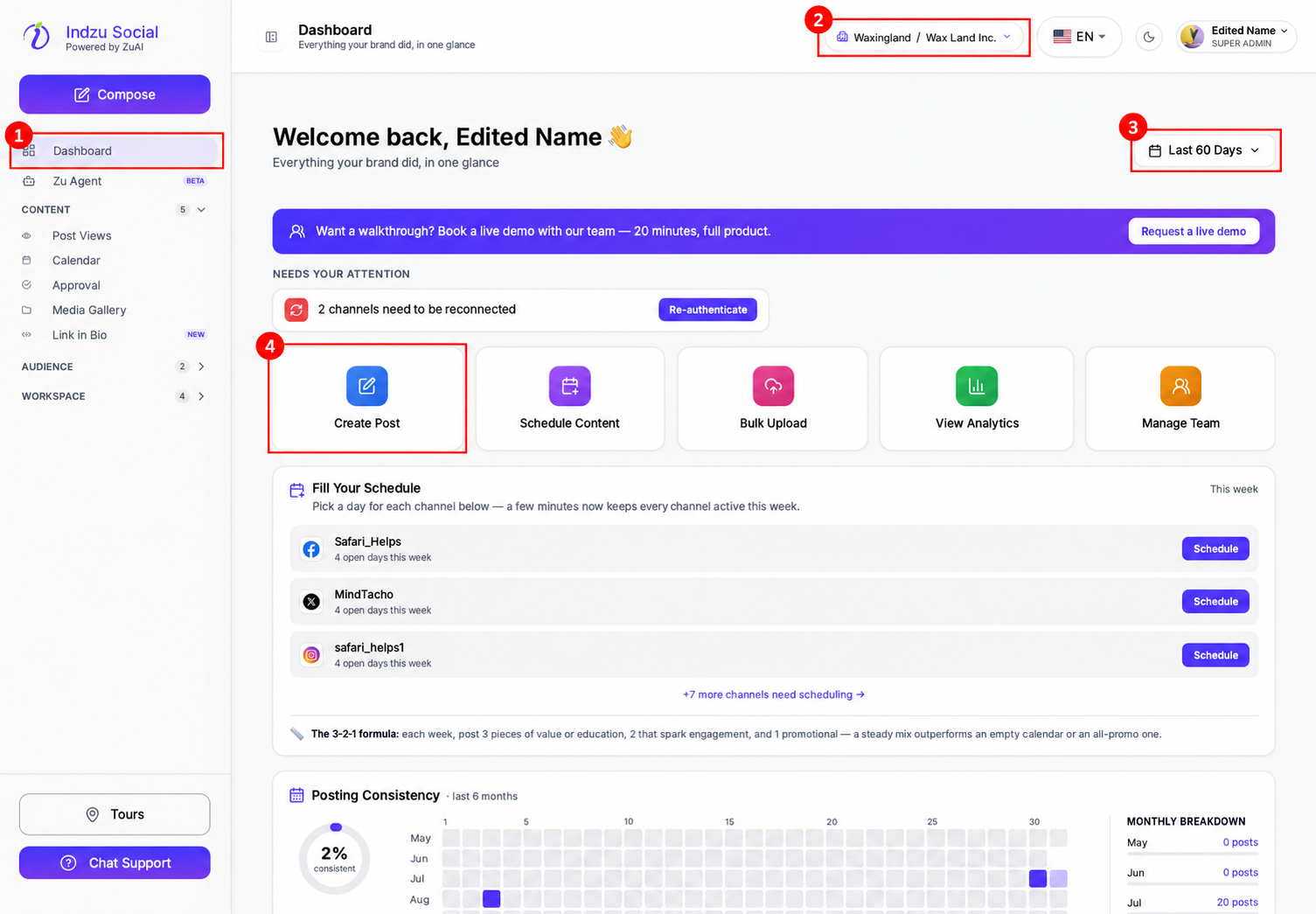
- Click Dashboard in the left sidebar.
- Check the brand selector at the top so you create content for the correct brand.
- Click the Create Post quick-action tile.
Choose how to create
- Choose Quick Generate for a batch of images or captions using your saved brand defaults.
- Choose Content Workflows to browse guided templates.
- Choose Video Lab for AI-narrated reels and shorts.
- Choose Ask AI Agent to discuss a plan, analysis or draft.
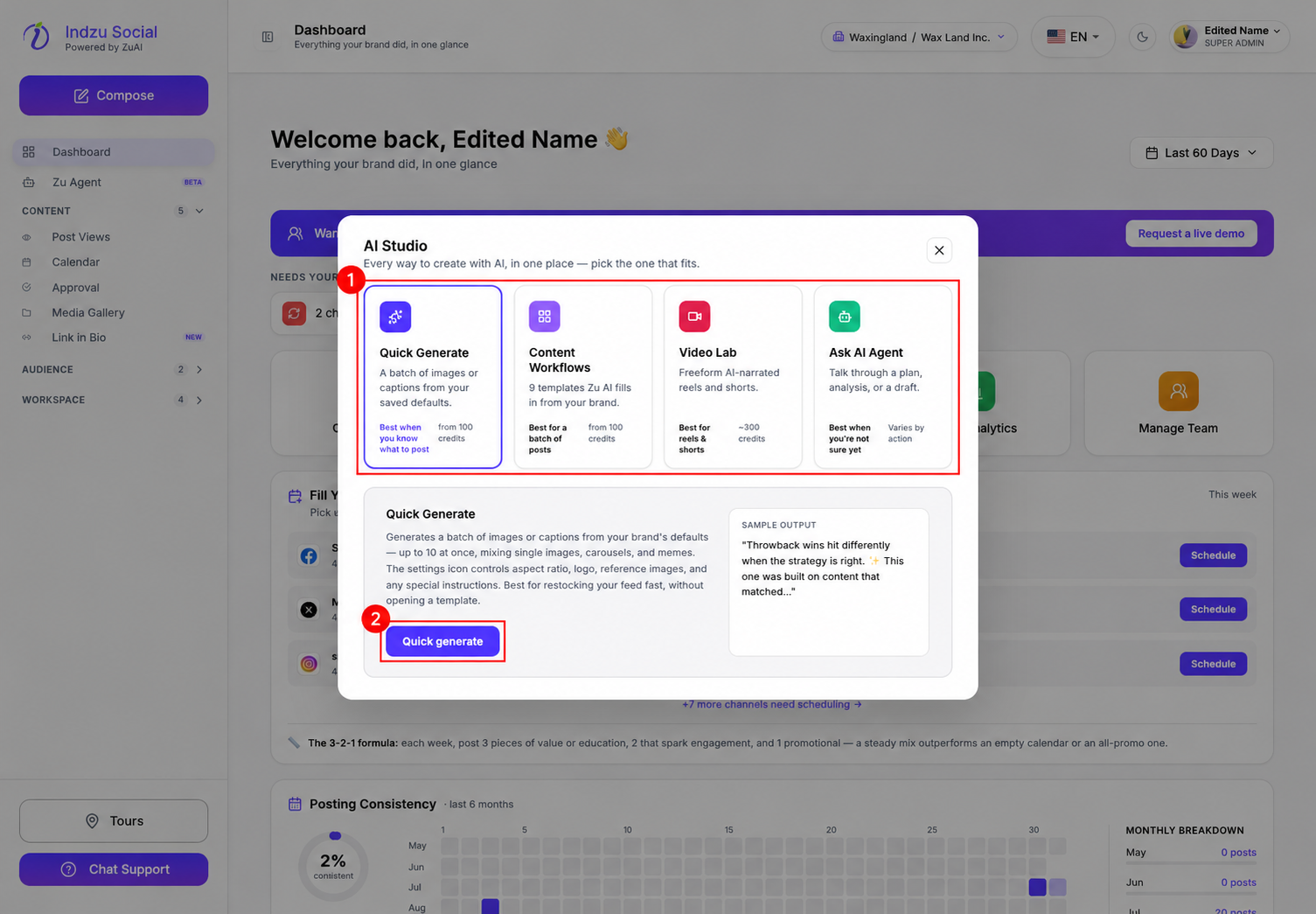
Select a card, read its details, then use the action button below. Its label changes with the selected route; Quick generate is shown in this example. This opens the selected flow; it is not a final instruction to publish a social post.
The other route buttons are Browse workflows, Open Video Lab and Ask AI Agent. To leave without continuing, close AI Studio with its close button or press Escape.
Review before generating or publishing
Check the inputs and the credit estimate in the selected workflow before confirming generation. The AI Studio cards show starting or approximate costs, not a guaranteed total for every configuration.
After generation, review the actual content in Content → Post Views → AI Posts. Choose suitable connected channels and review the post before saving, scheduling or publishing it. Generation and publication are separate actions.
For manual content, open Compose: create a new post. For the AI batch flow, see Quick Generate.