Quick generate uses your current brand details and saved generation preferences. It opens a review screen before generation starts; it does not publish social posts automatically.
Set the shape, count, and brand preferences
- Open Content → Post Views → AI Posts and confirm the selected brand.
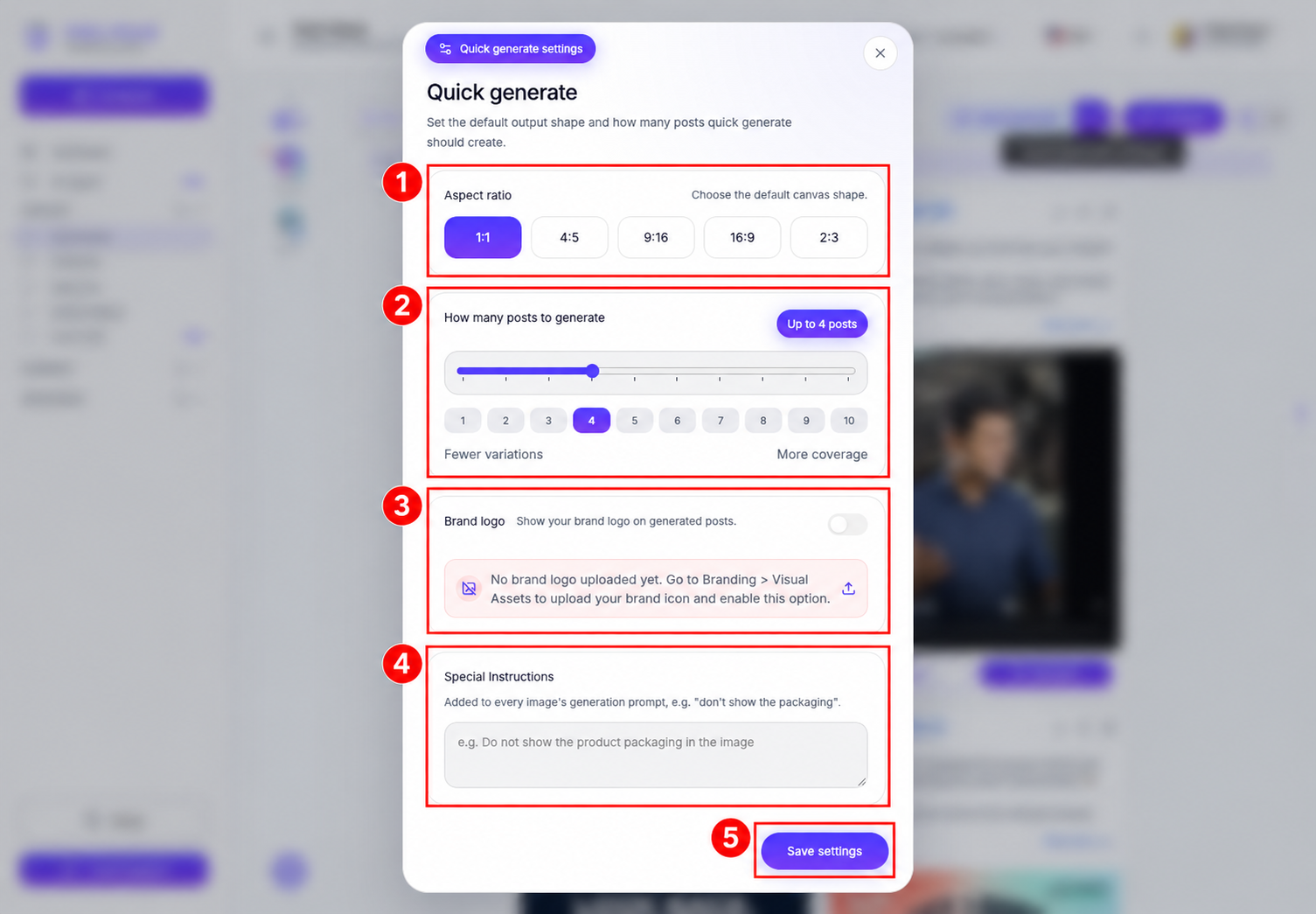
- Select the settings icon beside Quick generate.
- Choose an Aspect ratio: 1:1, 4:5, 9:16, 16:9, or 2:3.
- Set How many posts to generate. Use the current control and allowed limit; the screenshot’s count is an example, not a universal allowance.
- Set Brand logo and enter Special Instructions, such as details to include or avoid. If the logo control says no brand logo is uploaded, follow its Branding → Visual Assets instruction to add the brand icon first.
Add image guidance and choose the post mix
- Scroll within the settings dialog to Reference Images. Upload up to 10 design references if you want visual guidance.
- Choose Strictly follow the design, Follow the design with our creativity, or Do not follow for the references.
- In Gallery Images, use Map a folder to choose a Media Gallery folder containing your own photos, then choose its guidance mode.
- Expand Post mix distribution to adjust single-image, carousel, and meme counts. Check the breakdown against your chosen total.
- Select Save settings when finished. Saving preferences does not start generation.
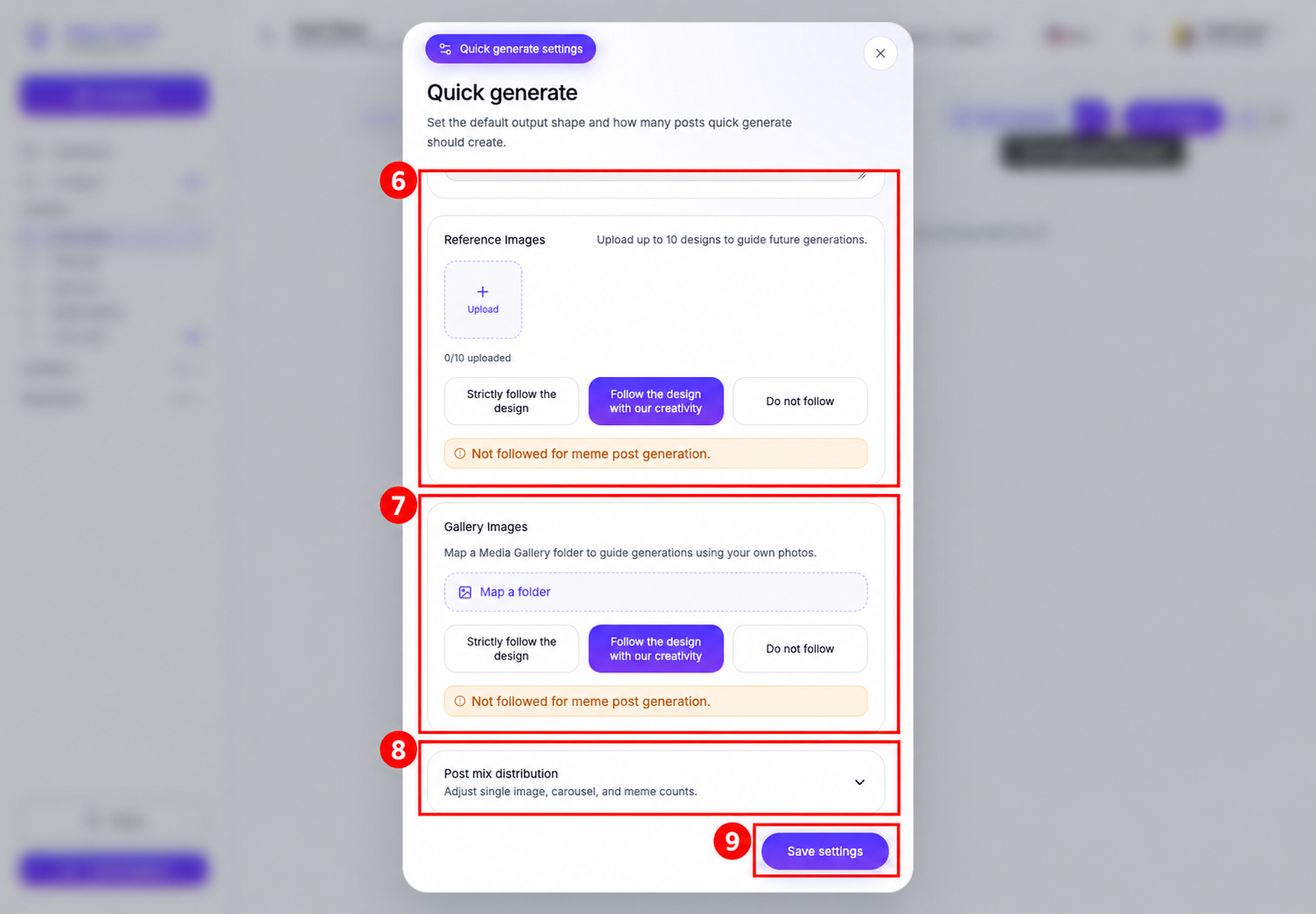
Reference and gallery guidance is not followed for meme post generation, as the dialog notes. Only upload or use images you have permission to publish.
Review and start generation
- Select Quick generate.
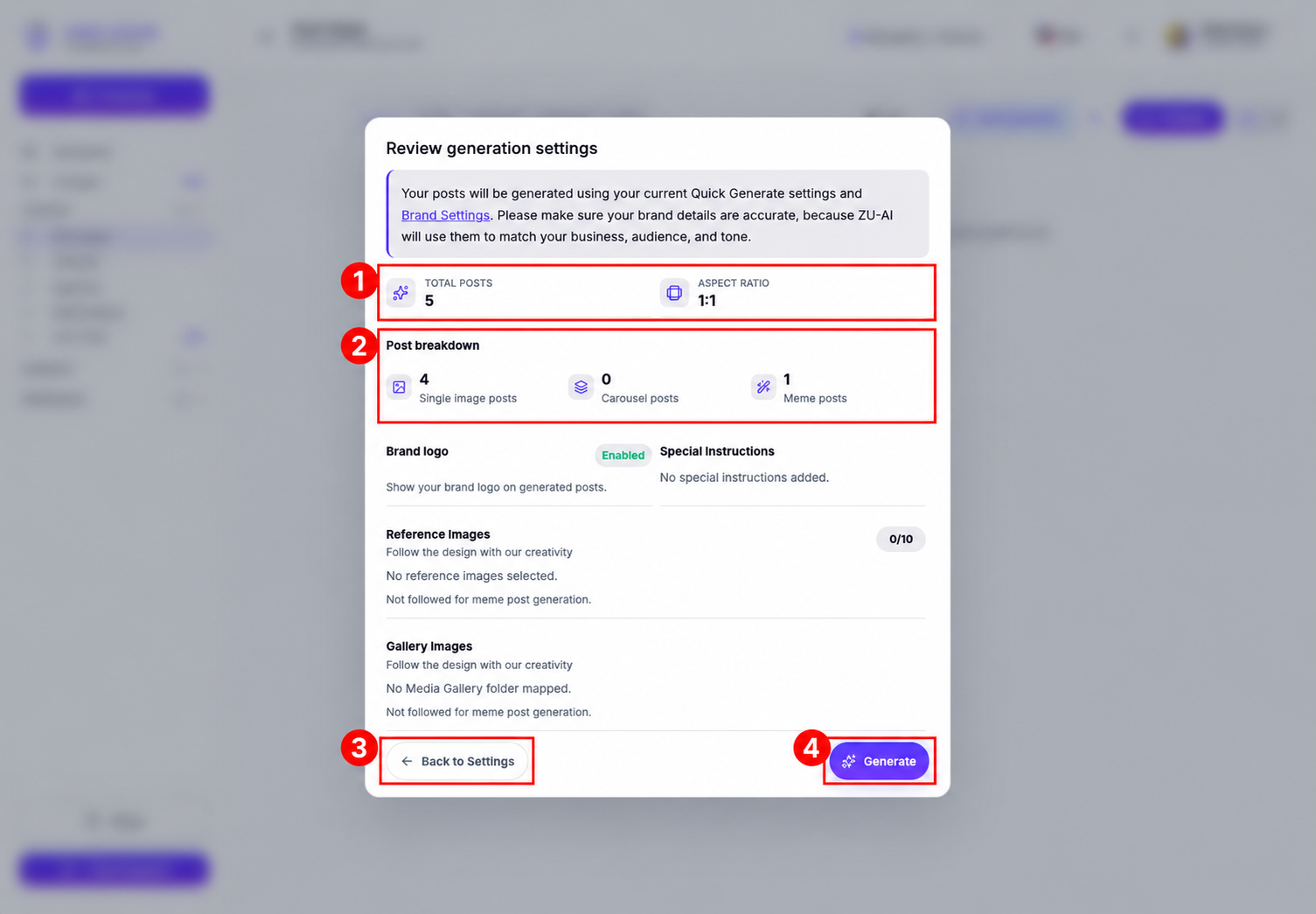
- In Review generation settings, check the total posts, aspect ratio, post breakdown, logo, instructions, and reference/gallery choices.
- Select Back to Settings to make changes, or Generate to start. Generation uses AI credits and is subject to your plan and permissions.
Wait for the generated items to become available in AI Posts, then review their captions and media before publishing or scheduling.
Related guides
See AI Credit balance and usage, editing generated posts and edit credits, and adding AI posts to a posting queue.