The Memes workflow combines your source, a meme template, and a selected humor style to create a meme-ready image.
Choose the meme source
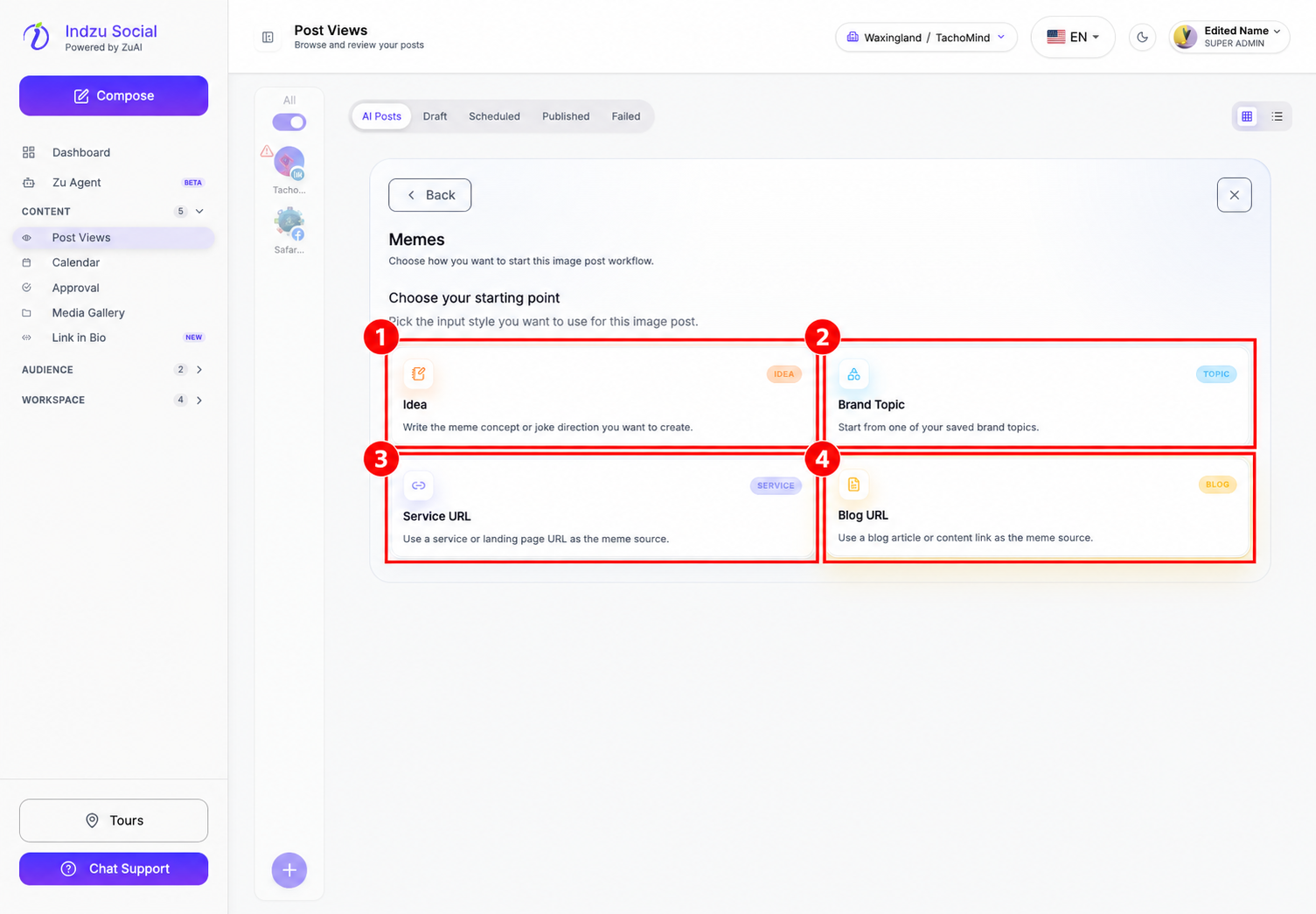
- Open Content → Post Views → AI Posts → AI Studio → Memes.
- Choose Idea, Brand Topic, Service URL, or Blog URL.
Write the brief and choose a template
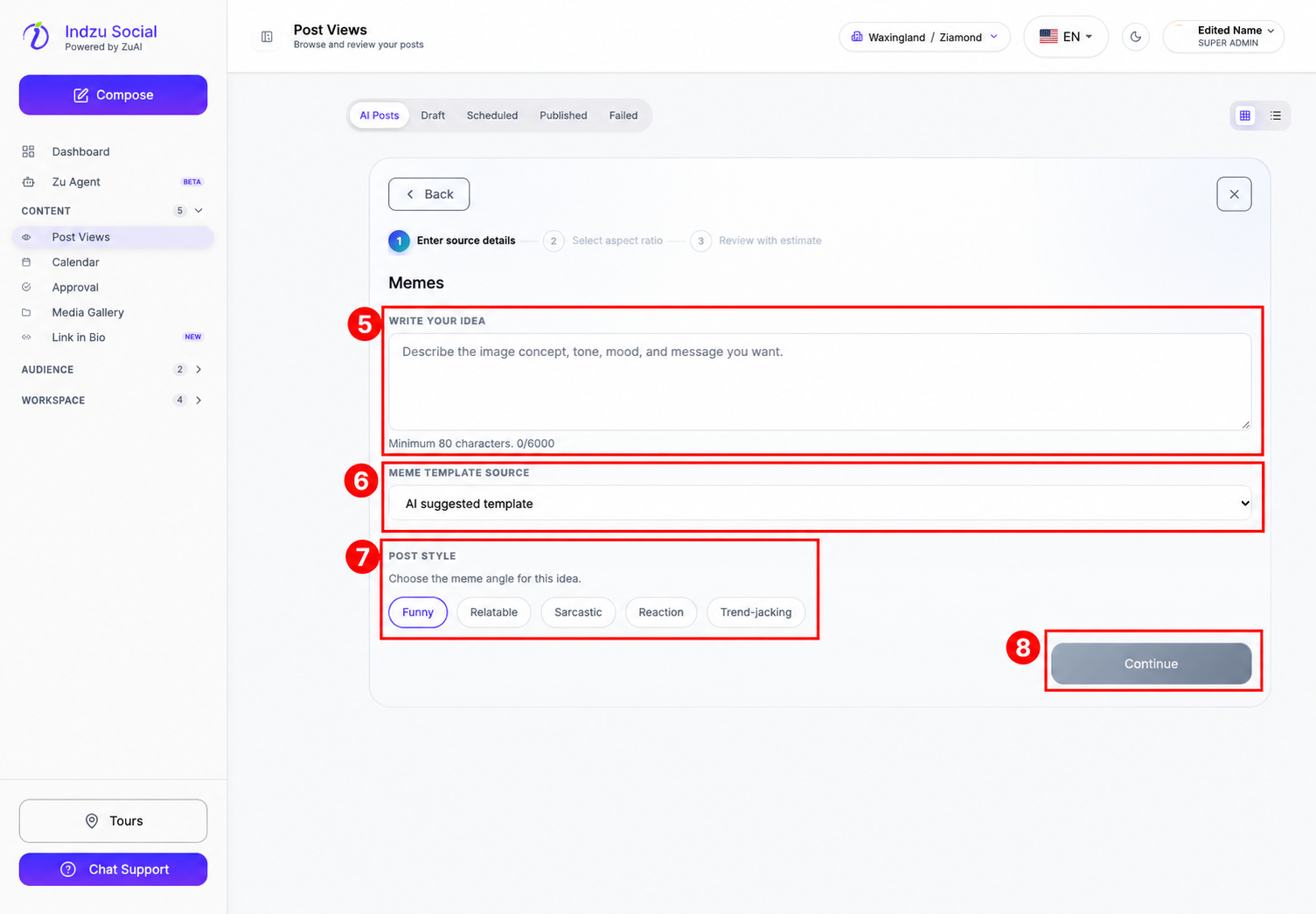
- With Idea, enter at least 80 characters. Describe the situation, audience, joke, and tone you want—for example, the contrast between a planned content calendar and last-minute requests.
- Choose Meme template source: Indzu template, AI suggested template, or Uploaded template. If you choose Uploaded template, upload or select a template from Media Gallery before continuing.
- Choose a Post style: Funny, Relatable, Sarcastic, Reaction, or Trend-jacking.
- Select Continue. Other source routes require their own topic or URL details as well as the meme choices.
Review and generate
- Choose the aspect ratio and language. Review audience settings, special instructions, and brand choices.
- Select Review estimate and check the AI credit cost and balance.
- Select Generate when ready, then review the resulting image and caption in AI Posts.
Check spelling, tone, brand suitability, and permissions for any template or image you supply. Quick generate’s reference-image and gallery-design guidance is not followed for meme generation; use the Memes workflow’s template controls for this task. Creating a meme does not publish it automatically.
Related guides
See editing generated posts and edit credits and adding AI posts to a posting queue.