Deleting a brand is permanent and cannot be undone. If you only need to disable access temporarily, consider deactivation instead. Read the full warning before confirming any destructive action.
Find Delete Brand
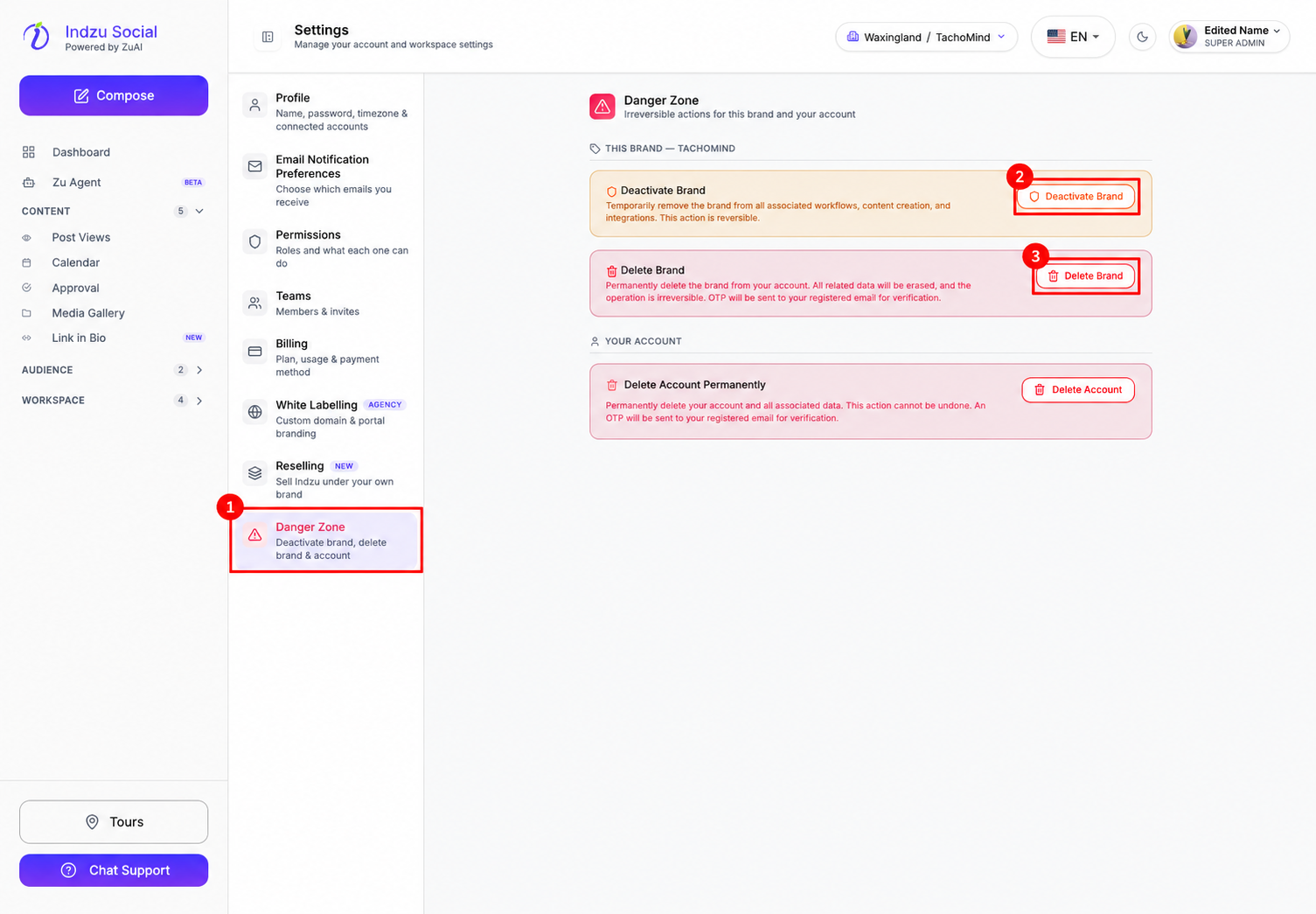
- Check the current workspace and brand in the top selector. Make sure you are targeting the intended brand.
- Open Workspace → Settings in the left sidebar.
- Select Danger Zone in Settings navigation.
- Find Delete Brand. It is no longer in the Settings tab inside the Brand page. Do not confuse it with the separate Delete Account action.
Review the permanent deletion warning
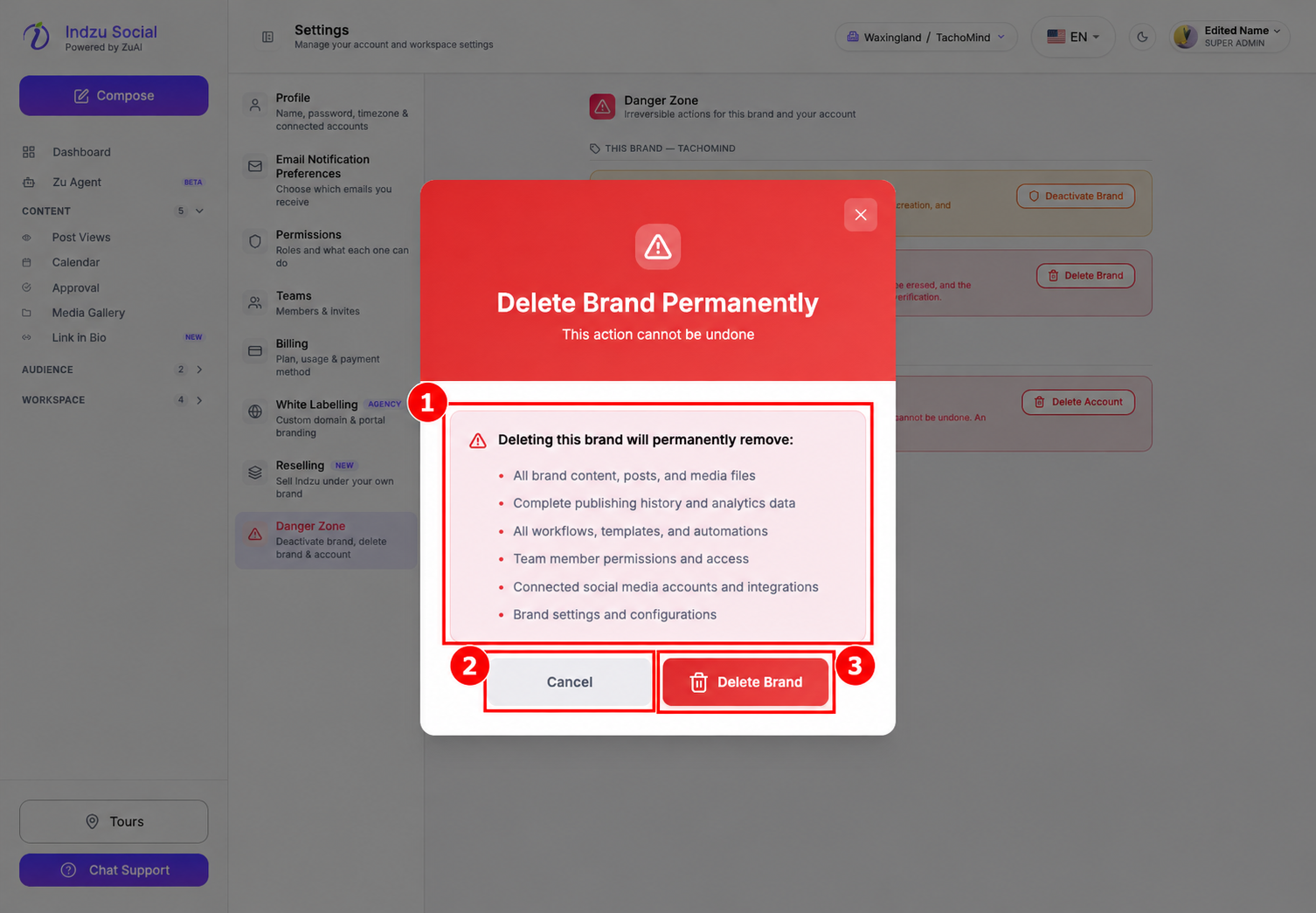
- Select Delete Brand to open the warning dialog. Opening this dialog does not delete the brand.
- Review the warning about associated content, publishing history and analytics, workflows, team access, connected integrations, and brand settings.
- Select Cancel if the target is wrong or you are not ready. Select the final Delete Brand only if you intentionally authorize permanent deletion.
Keep any records or content you need before confirming. After a successful deletion, follow any prompt to switch to another available brand. If deletion fails, read the error and check the current brand list before trying again.
The button requires the appropriate deletion permission. If it is unavailable or says Unauthorized, ask an administrator. Deleting a brand does not mean deleting the external social-media account itself.
See deactivating a brand for the temporary alternative.