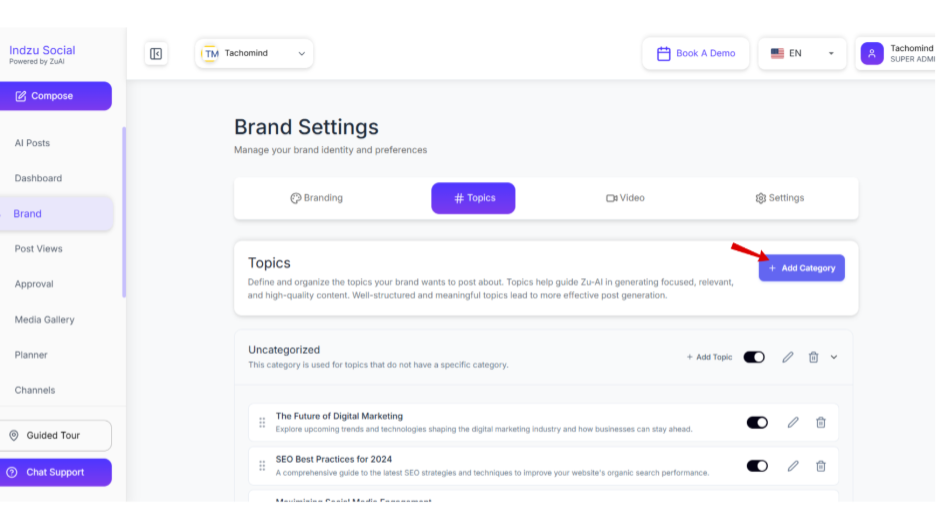
How to add category?
Step 1: Click on “Add category.”
Step 2: Add Category Title and Category Description. Description is optional.
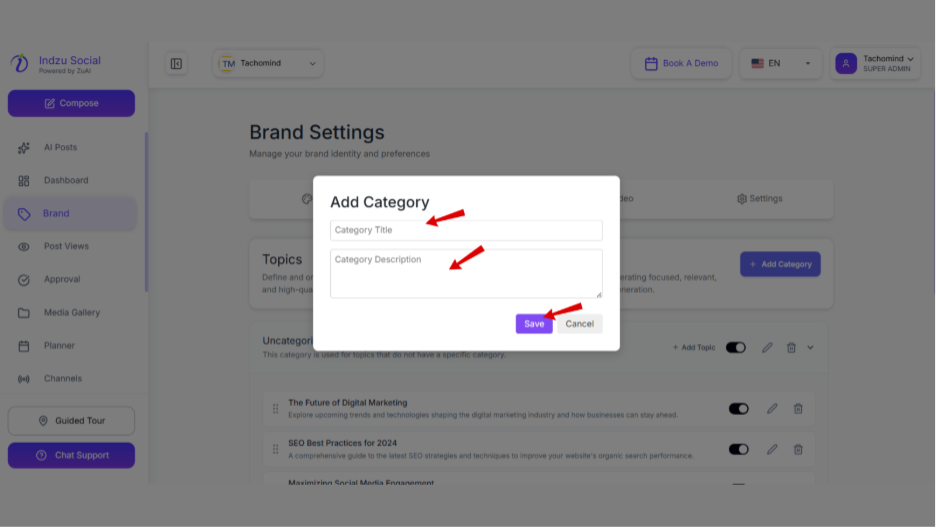
Step 3: Click “Save”
How to Add the Title?
Under the brand section, you can find different topics which you can use to generate your post.
These topics are created by AI according to the website’s brand URL and the type of industry you belong to.
You can Add or Edit the topic to add more value to the posts.
Step 1: Click on “+Add Topic” on each category.
Step 2: Add Title Using ZUAI or manual.
Step 3: On click of ‘Suggest’ button, ZUAI generates the topic and listed for you.
Step 4: On Click of ‘Apply’ button on desired topic, it will be filled with all fields automatically.
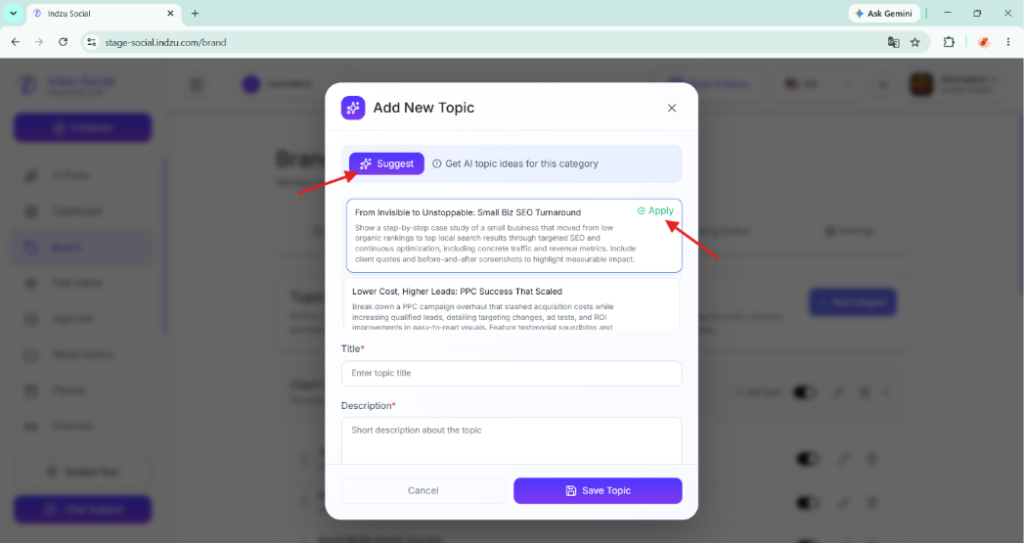
Step 5: Click ‘Save Topic’
How to Edit the Topics?
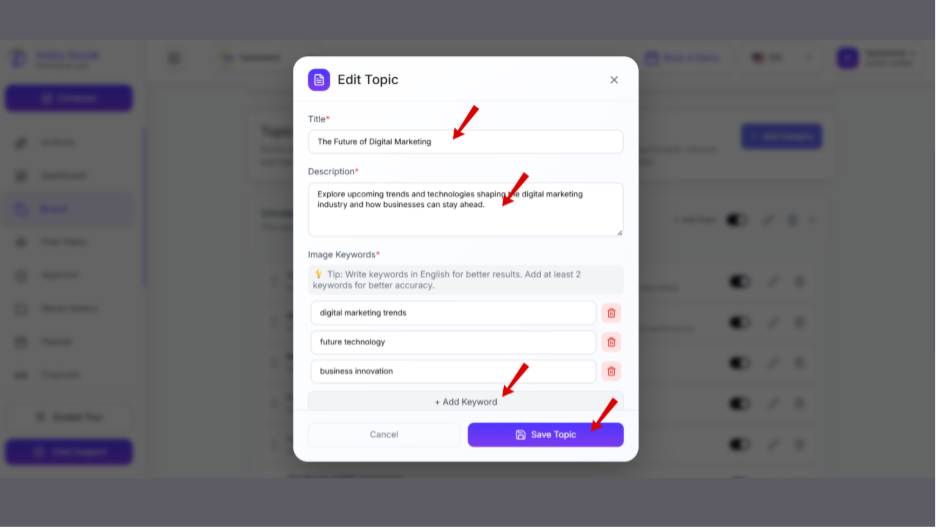
Step 1: Click the “Pencil icon” of the topic you want to edit.
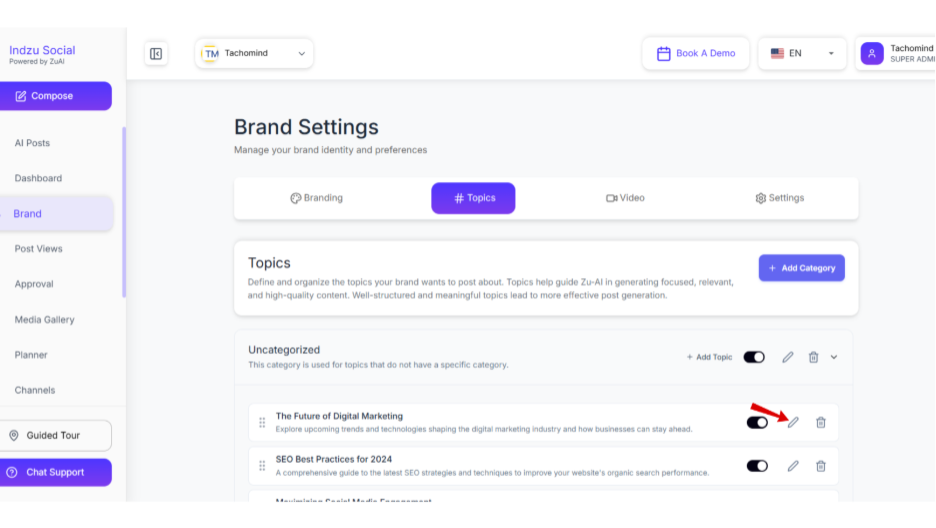
Step 2: Edit the Title, Description, and Image keyword.
Step 3: You can add up to image keywords.
Step 4: Click “Save Topic”.