Step 1: After completing the post description, add the media or video, emojis, and tag to the required content.
Step 2: Click on the “Schedule” at the bottom of the portal.
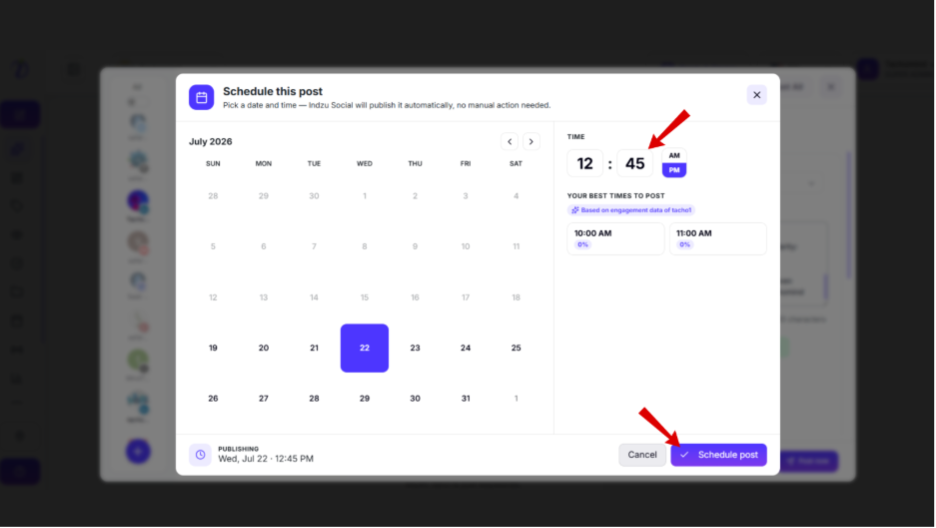
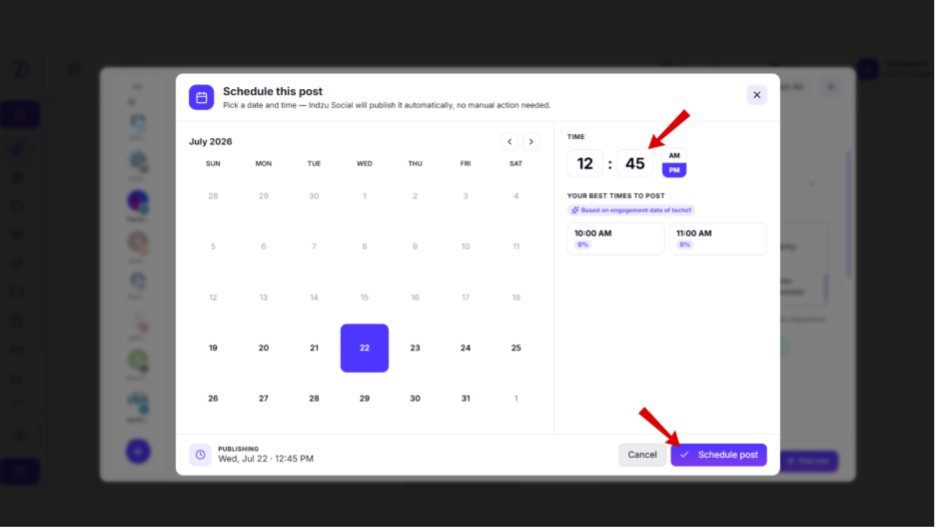
Step 3: Select your preferred date and time.
Step 4: You can also select the time from the” SUGGESTED TIMES TO POST”.
Step 4: Click “Schedule post”.
You can also schedule your post from “AI post”.
Step 1: Click on “AI post”
Step 2: Create your post with the help of AI.
Step 3: Click on “Schedule”.
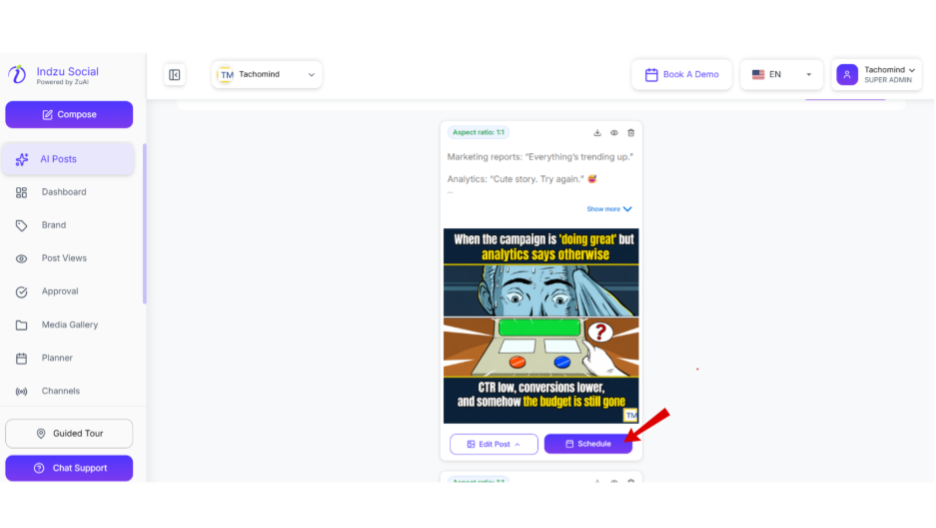
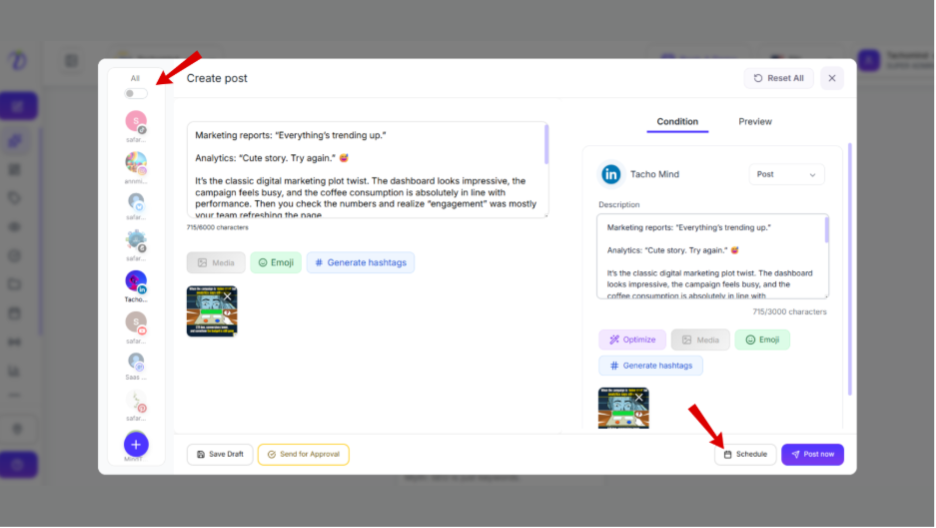
Step 4: It will take you to the “Create a post”.
Step 5: Select the required social channel where you want to post.
Step 6: Then Click on the “Schedule” on the bottom of the portal.
Step 7: Select your preferred date and time.
Step 8: You can also select the time from the” SUGGESTED TIMES TO POST”.
Step 9: Click “Scheule post ”.