AI Posts is the area in Post Views where you review content generated with Indzu Social’s AI tools before using it in a social post. Generating content does not publish it to your channels automatically.
How to open AI Posts
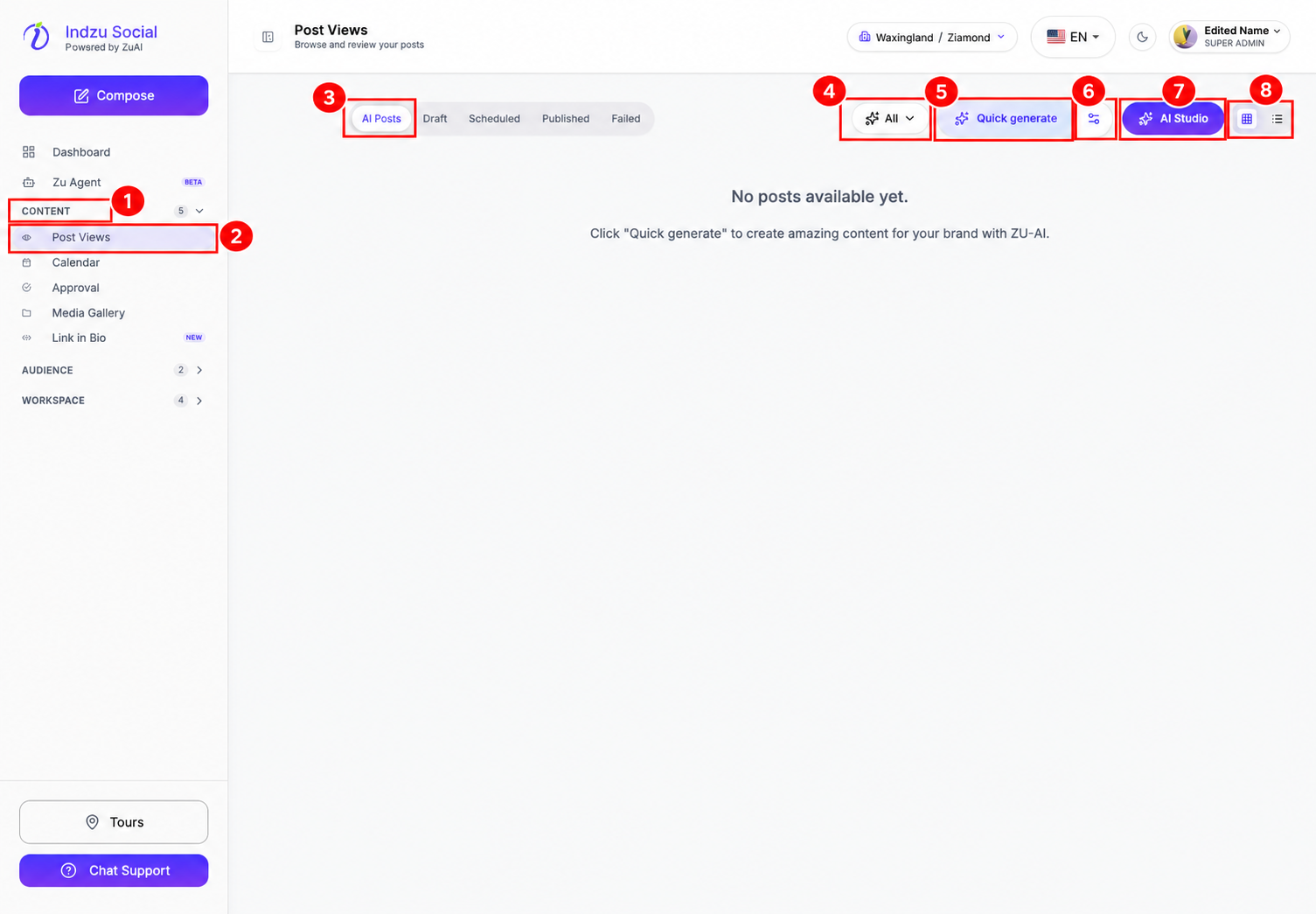
- Expand Content in the left sidebar.
- Select Post Views.
- Select the AI Posts tab. Check the brand selector at the top to make sure you are working in the correct brand.
What you can do here
Use Quick generate for a shorter creation flow or AI Studio to choose a specific workflow. Use the All dropdown to filter generated images or videos, and the grid/list buttons to change the view.
When content is ready, review it before creating or scheduling a social post. The neighbouring Draft, Scheduled, Published, and Failed tabs track your social posts separately.
If you see No posts available yet, this brand has no generated content matching the current filter. Try All or create content with an AI tool.