The Brand section holds the identity, business context, visual style, and content preferences used to guide AI content for the selected brand. Check the brand selector at the top before making changes.
Open the Brand section
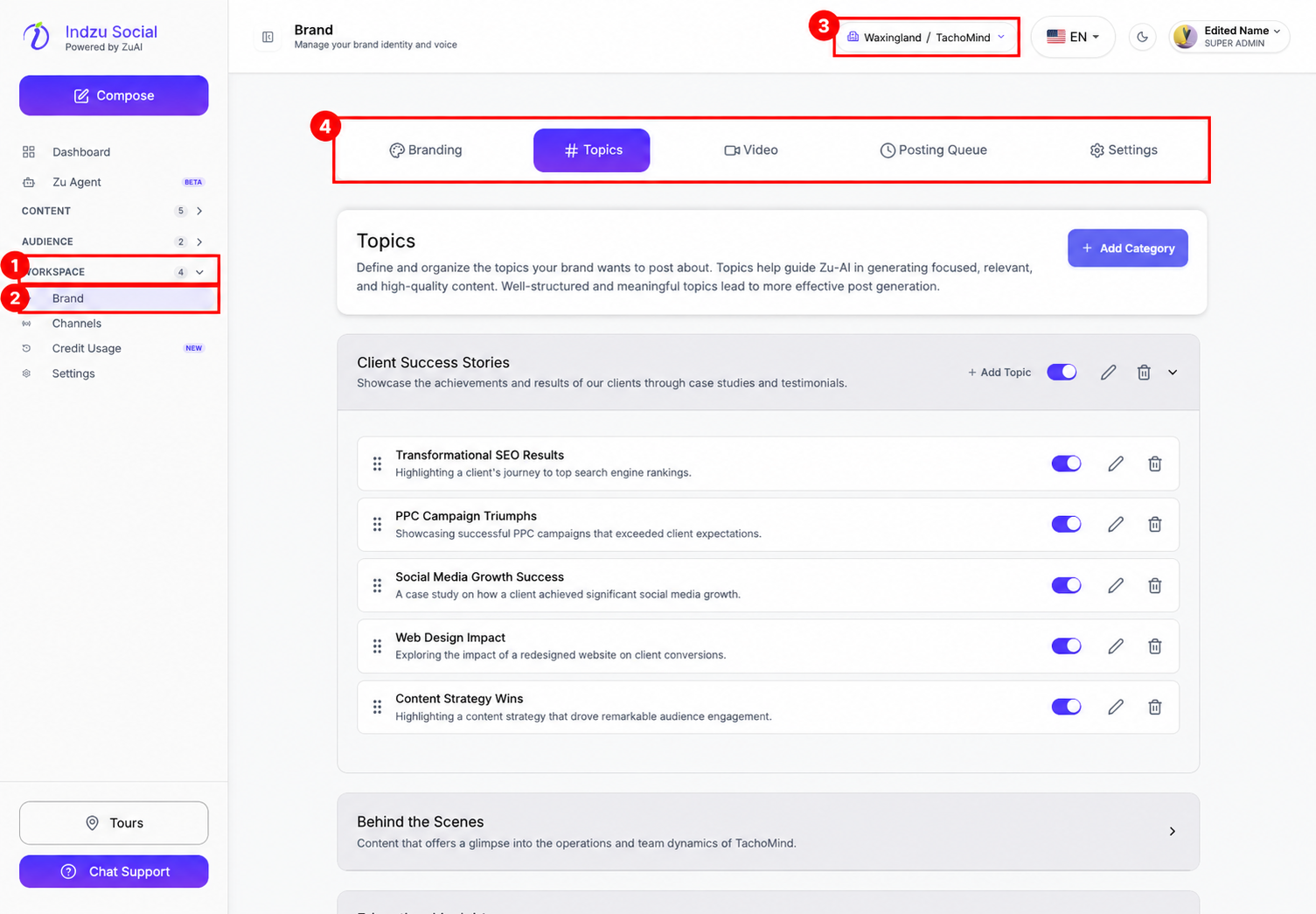
- Expand Workspace in the left sidebar.
- Select Brand.
- Confirm the selected brand, then choose the relevant tab: Branding, Topics, Video, Posting Queue, or Settings.
Branding
Branding combines settings that older versions placed in separate Profile and Voice tabs. You can edit the fields directly; you do not need the old page-level Edit button.
- Brand Identity: check the brand name and industry.
- Contact Information: maintain the business email, phone, social handle, and website.
- Visual Assets: upload or replace the brand icon.
- Brand Colors: choose the primary and secondary colors shown in the current UI.
- Brand Profile: describe the business, core values, niches, audience, objectives, and pain points.
- Content Preferences: choose voice, caption size, calls to action, and post language.
- Scroll to the bottom and select Save Branding Settings after editing.
Topics, Video, and Posting Queue
Topics organizes content ideas into categories. Add or edit categories and topics, or enable/disable them. Topic/category saves and switches use their own controls; they do not wait for Save Branding Settings.
Video contains video-generation preferences. Check the controls and save action shown in that tab before leaving it.
Posting Queue manages recurring posting slots and channel selections. Creating a queue is separate from selecting posts and confirming scheduling.
Settings and critical actions
The Settings tab inside Brand contains Location & Timezone. It is not the same as Workspace → Settings in the left sidebar.
Delete Brand and Deactivate Brand now live in Workspace → Settings → Danger Zone, not in Brand’s location settings. These affect brand access or data and should be used only after reviewing their warnings.
Detailed guides
See business profile, brand voice, brand colors, topics and categories, country and timezone, and posting queue setup.