The shared composer text box accepts up to 6,000 characters, but each selected destination has its own description limit. The live counter and validation message in Condition are the best guide for the account and post type you are preparing.
Read each destination’s counter
- Open Compose, select the intended channels, and add your text.
- Open Condition and check the description counter for every selected account.
- Shorten or customize channel-specific text when it exceeds that destination’s limit. Do not assume the shared 6,000-character capacity applies to all platforms.
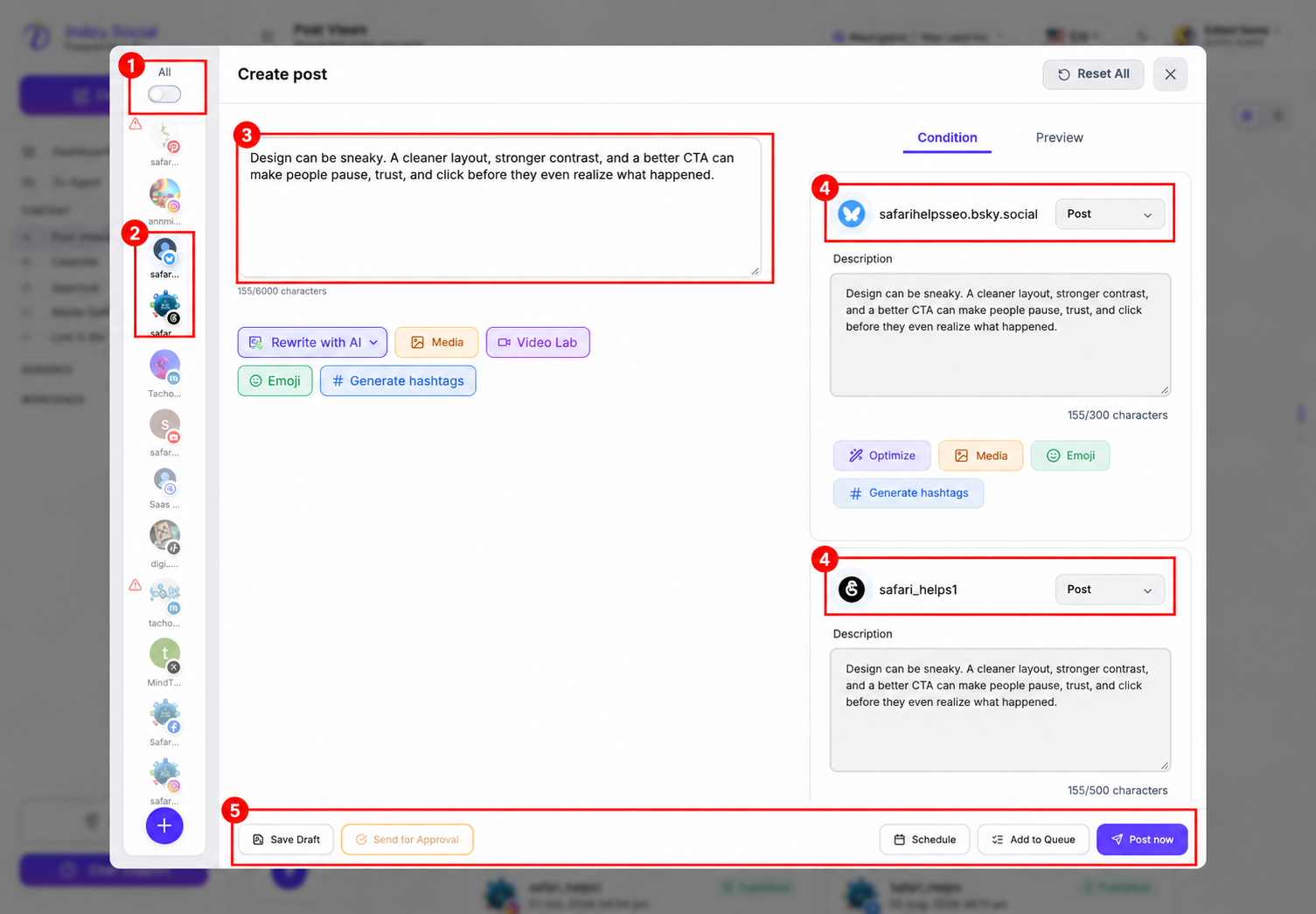
In this populated example, the shared text is 155/6000, Bluesky is 155/300, and Threads is 155/500. The example is unsaved.
Current Indzu description limits
These are Indzu composer limits, not a guarantee of every provider’s maximum or support for every post format.
- Bluesky: 300 characters.
- Instagram: 2,200 characters.
- Threads: 500 characters.
- Pinterest: 500 characters.
- Facebook: 6,000 characters in the Indzu composer.
- Google Business Profile: 1,500 characters.
- YouTube: 5,000 description characters; review its separate title field too.
- X: typically 280 characters; eligible Premium account handling can differ. Follow the counter shown for your selected account.
- LinkedIn: the current REST-based integration allows 3,000 description characters; older integration modes can use a lower limit.
- TikTok: video descriptions use 2,200 characters; image-post handling can allow 4,000. Follow the selected post type’s live counter and validation.
The counters cover the text you enter, including spaces, hashtags and emojis. Provider counting and validation can differ, so resolve any live error rather than relying only on a copied number. Character-limit compliance also does not replace media, permissions or post-type requirements.