The Preview tab is read-only. It shows an approximate rendering for each selected destination; it is not the editor.
Edit the source content instead
- In the composer, select Condition above the right-hand panel.
- Find the correct account and platform. Edit its description, media or available platform-specific options there.
- For shared content, edit the main text and media on the left. Recheck all destinations affected by that change.
- Return to Preview and review each selected account’s card.
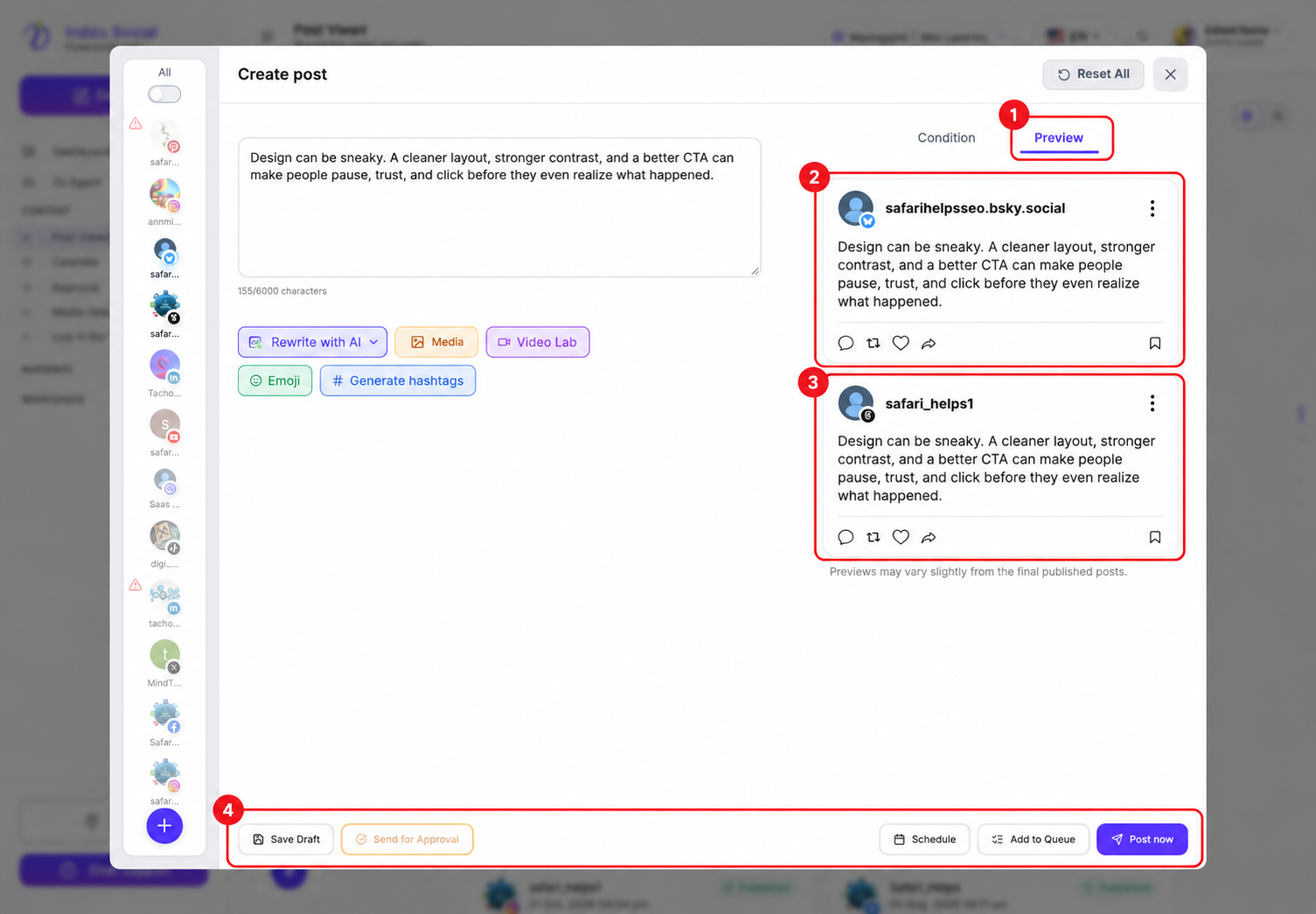
This is an unsaved demonstration using text from an existing published post. The selected Bluesky and Threads accounts are real usable destinations. No staging post was saved, scheduled, or published for this screenshot.
If something still looks wrong
Confirm that you are looking at the intended account, not another similarly named channel. Check the Condition panel for missing media, character limits or other validation messages before trying again.
The final provider rendering may vary slightly from the preview. Editing or viewing a preview does not publish the post; use the appropriate action only after review.