AI Posts displays the content generated for the currently selected brand. Open Content → Post Views → AI Posts, then use the All dropdown beside Quick generate.
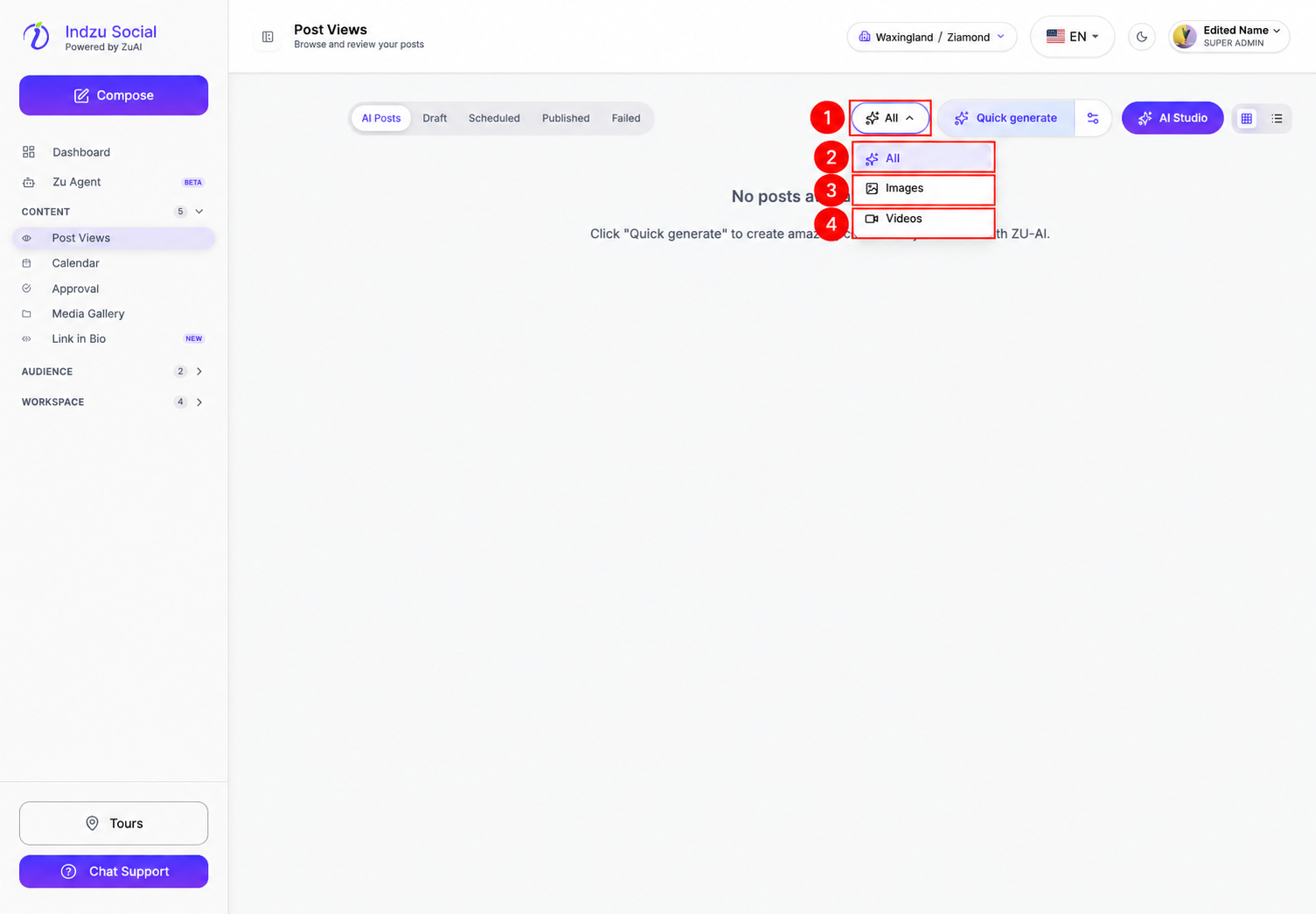
Filter choices
- All: show generated content of every supported media type.
- Images: show generated image content, including image-based workflows such as carousels.
- Videos: show generated video content.
These are choices inside a dropdown, not separate sidebar pages. They filter existing content; they do not start a new generation or change a post’s publishing status.
If a filter shows no results, switch back to All and check the brand selector. For social-post statuses, use the separate Draft, Scheduled, Published, and Failed tabs.
To choose which type of content to create, open AI Studio instead. Its Images and Videos filters apply to workflows, not your existing generated posts.