Start from Content → Post Views → AI Posts. Check the brand selector before creating content.
Choose your creation route
- For a shorter flow using your saved preferences, select Quick generate, review the settings, and select Generate when ready.
- For a specific format or more control, select AI Studio. Filter the workflows by Images or Videos, then select the card that matches your goal.
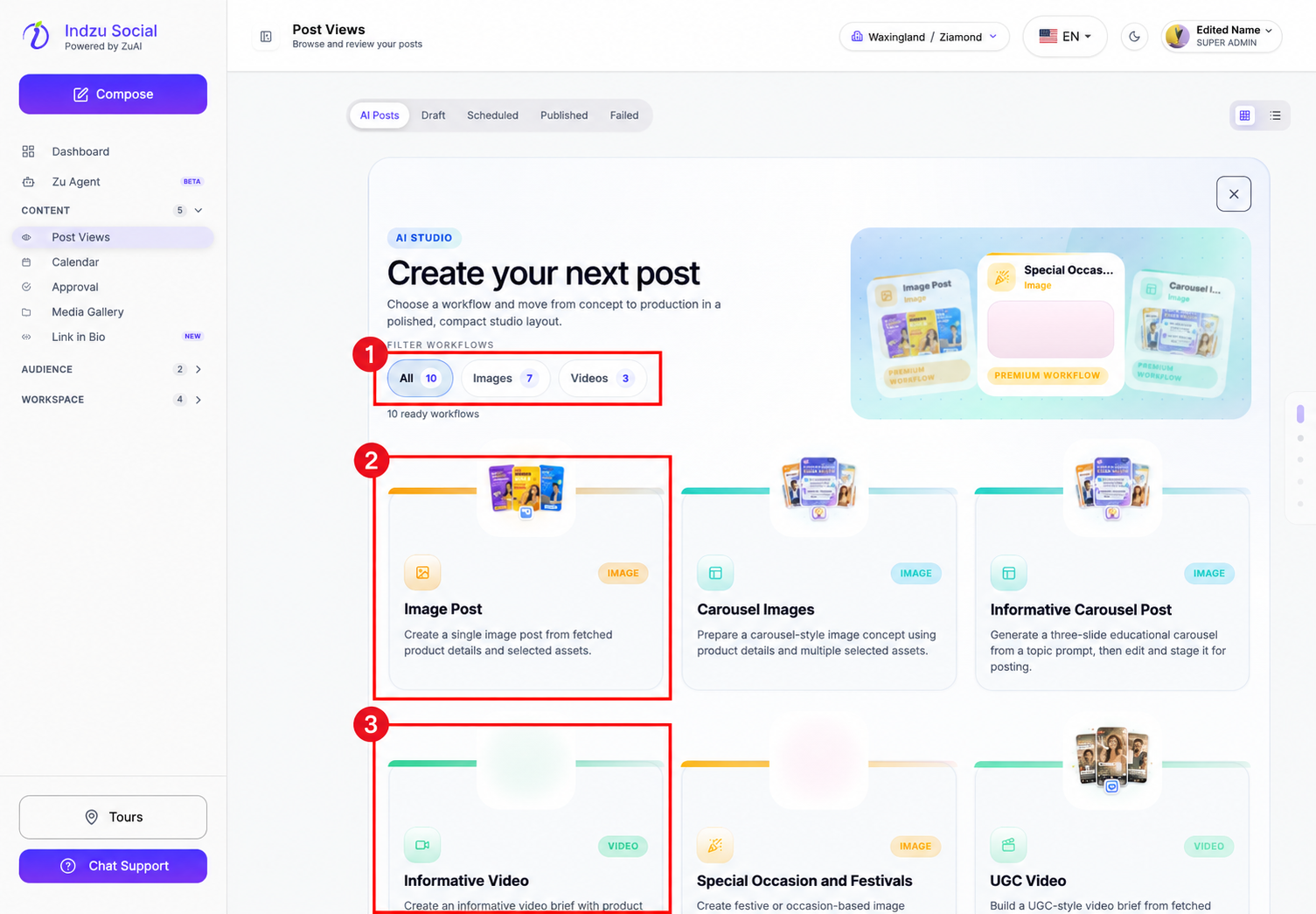
Complete the workflow
- Provide the requested source, such as an idea, brand topic, product URL, or image.
- Check fetched details and adjust the available creative settings.
- Continue to the review/estimate step and check the credit requirement.
- Confirm generation only when the details are correct. Wait for the result in AI Posts.
- Review the generated content before creating a social post. You can then choose manual scheduling or an available posting queue.
Generation consumes AI credits but does not publish to social channels automatically. If you want to write a social post manually instead of generating content, use the sidebar Compose button.