Open Content → Post Views → AI Posts → AI Studio to choose a creation workflow. Use the Images or Videos filter to narrow the cards.
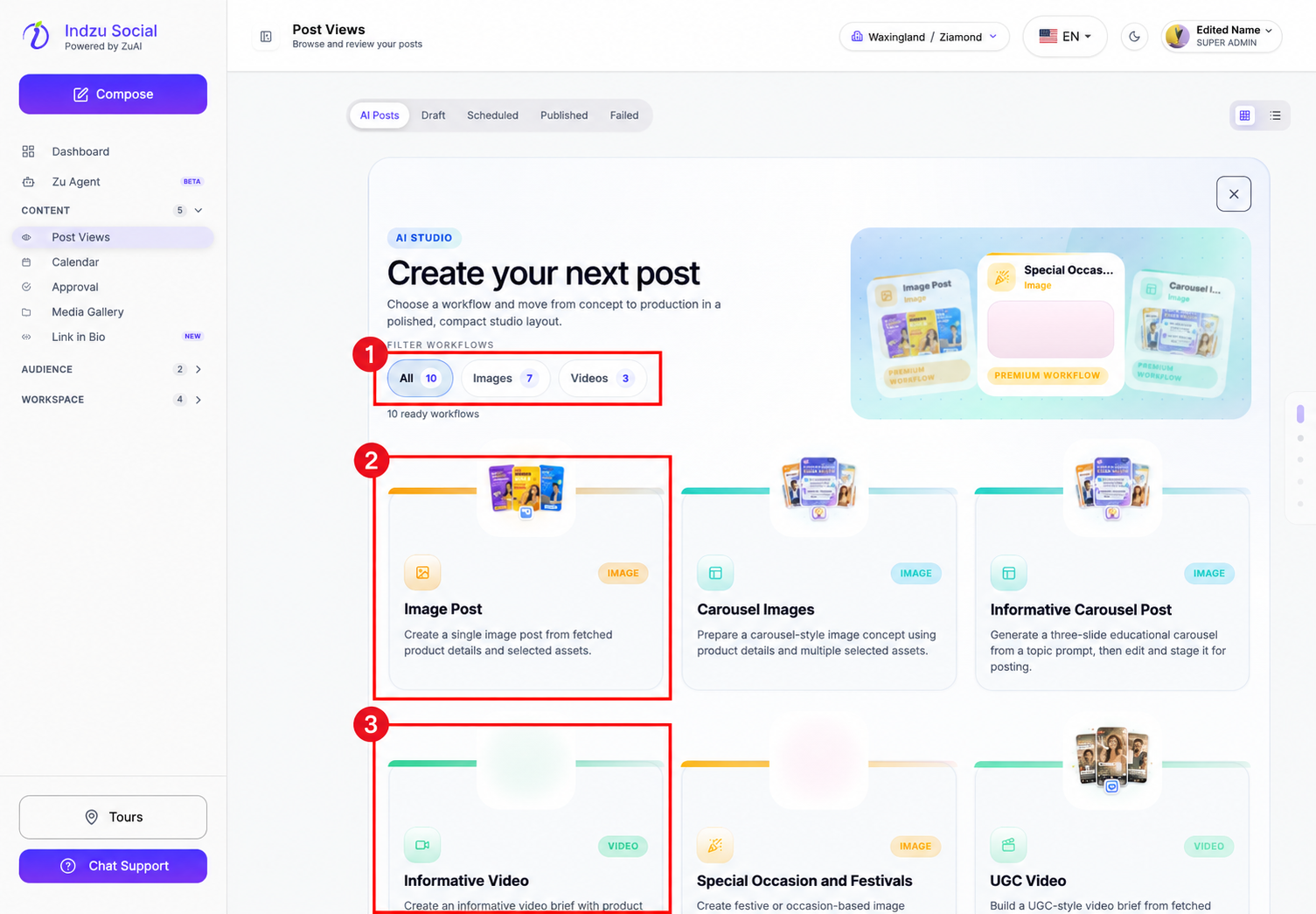
Image workflows
- Image Post: create a single-image post from an idea, brand topic, URL, or image source.
- Carousel Images: create carousel-style image content. Read the Carousel Images guide.
- Informative Carousel Post: edit an educational carousel slide by slide, starting from placeholders or an AI-generated topic draft. The current editor starts with five slides and supports 3–15. Read the Informative Carousel guide.
- Special Occasion and Festivals: create occasion-based image content. Read the festival and special-occasion guide.
- Image AD Creation: create an image ad concept from product and brand information. Read the image ad guide.
- Memes: create meme-style image content. Read the meme guide.
- Product Photo Shoot: create product photo-shoot style images from product details and assets. Read the Product Photo Shoot guide.
Video workflows
- Informative Video: set up an informative video using the available style, music, voice, and brand settings.
- UGC Video: create UGC-style video content from product details and selected assets.
- Short Promotional Video: create a short promotional video from a product page or uploaded image.
Select a card to see its required inputs. Review the estimate and available credits before generating. Available workflows and plan access may change, so check the live cards rather than relying on a fixed count.
Creating an ad image here does not launch a paid advertising campaign. Generated content still needs review and a separate publishing or scheduling action.
Troubleshooting and related guides
See AI generation troubleshooting, queue scheduling troubleshooting, AI Credit balance and usage, and editing generated posts and edit credits.