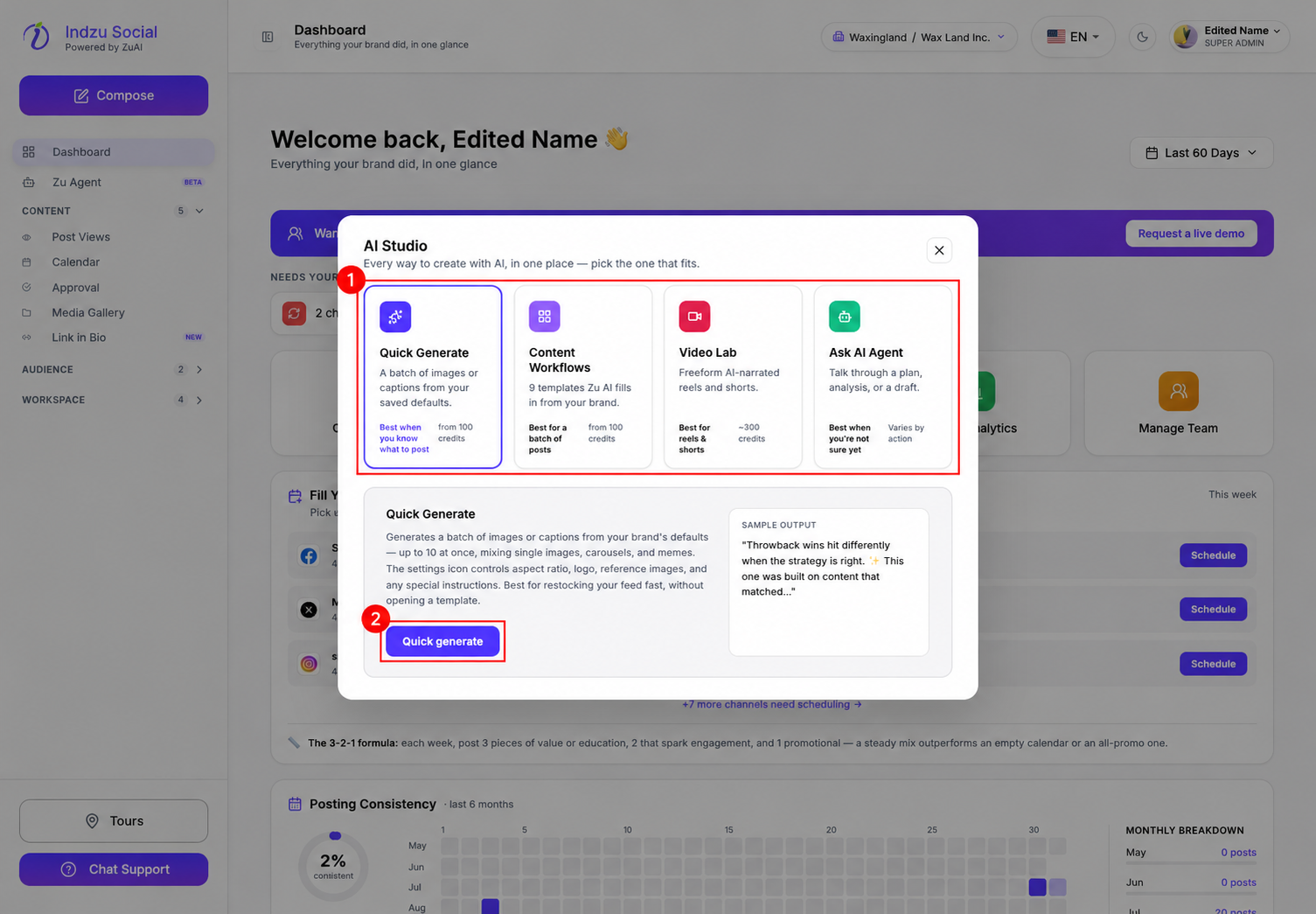
AI video costs depend on the workflow and its settings. The Dashboard’s Create Post shortcut opens AI Studio, where Video Lab currently displays an approximate 300-credit starting indication.
Check the total for your video
- Open Dashboard → Create Post, or open the relevant video workflow from Content → Post Views → AI Posts.
- Choose the video workflow and configure its available settings.
- Read the credit estimate or confirmation shown before generating.
- Include any separately requested AI caption or other generation action when considering the total.
The standard informational-video generation component is 300 credits. If a separate 20-credit AI caption generation is also charged, those two components total 320 credits. This is not a universal price for every video.
Promotional and UGC videos
Promotional and UGC workflows can use different duration and generation settings. Do not apply the Video Lab starting indication to them, or rely on an old fixed duration-to-credit chart. Follow the current estimate for the exact workflow and configuration before confirming generation.
Re-generating a video or requesting another AI output can create a further charge. Editing availability also varies; a manual caption change is not the same as rendering a new video.
Verify actual usage
The Dashboard’s AI Credits → Videos bucket aggregates video usage; it is not necessarily the price of one video. For individual deductions, open Workspace → Credit Usage and check the event’s action, date, type and credits.
Avoid dividing that bucket by the number of generated videos to quote a standard price: different video workflows can contribute different amounts to the same total. A separately generated caption is accounted for as text usage.
See Create a video post in AI Studio and Check your AI credit usage.